
1
Set the scene
Start with context
Fill the frame
2–3 ft for close-ups; keep ladders, cords and workers fully in view.
AI safety inspection software uses computer vision to review a workplace photo and produce a structured EHS or HSE inspection report: visible hazards, related OSHA references, suggested corrective actions, and a 0-100 score. OSHA Scan supports consistent inspection records across construction, manufacturing, warehousing, healthcare, property management, hospitality, and more. A supervisor verifies each preliminary finding before saving or exporting it. The software augments a safety team; it does not replace a qualified professional.
Free · No account needed to scan · Results in seconds
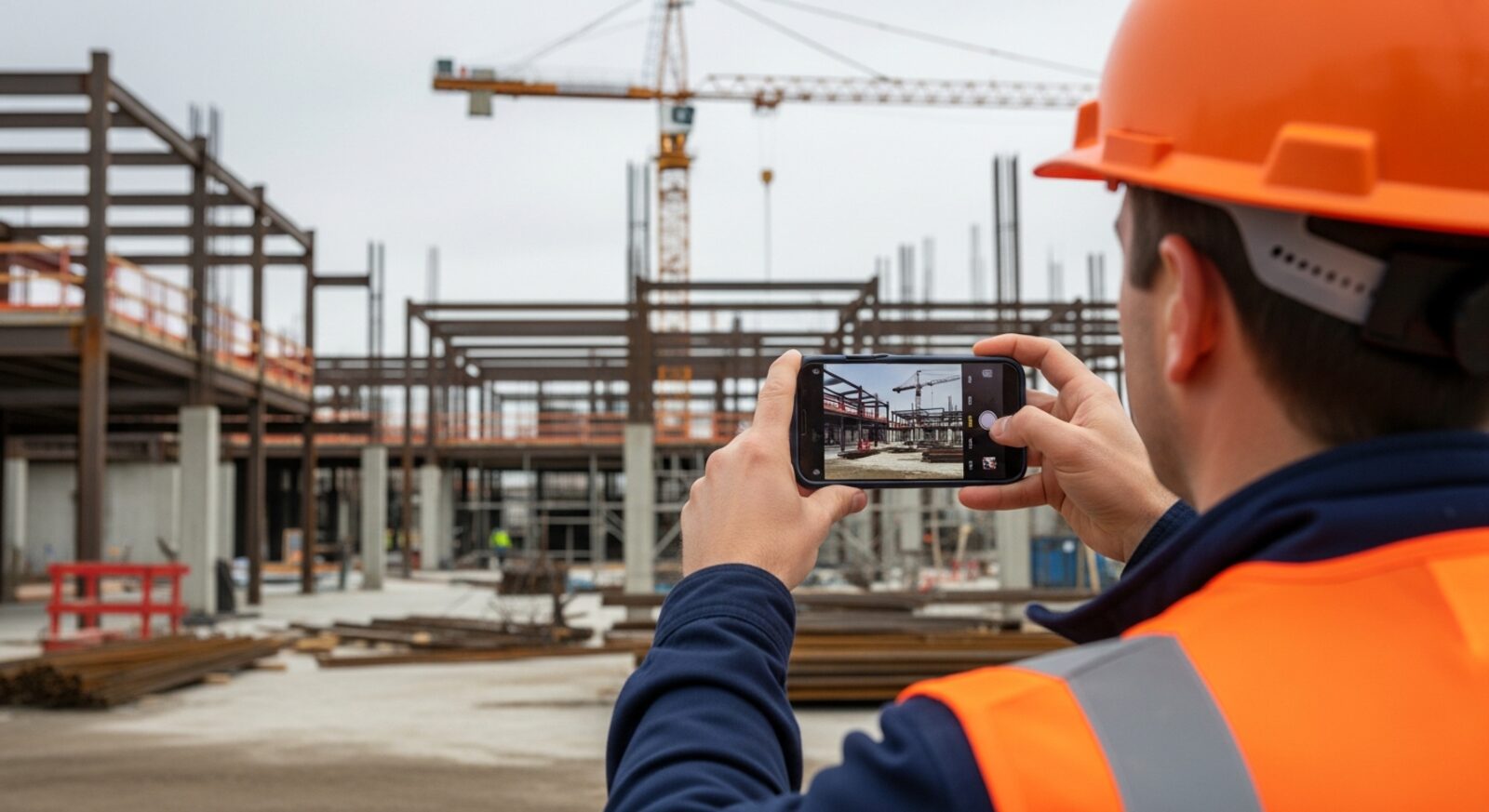
The software works from a single photo across industries, settings, and hazard types. Start with the page closest to your facility.
Falls, PPE, scaffold, and struck-by hazards on active construction sites.
Racking, forklifts, blocked aisles, and stacking hazards from a photo.
Machine guarding, LOTO, forklift safety, and production-floor hazards.
Conveyor systems, forklift lanes, sortation hazards, and dock safety.
Patient corridors, sharps disposal, biohazard containers, and egress in care facilities.
Housekeeping chemicals, pool areas, kitchen hazards, and guest-area egress.
Common areas, parking structures, mechanical rooms, and stairwell hazards.
Wet floors, blocked exits, and kitchen hazards for food-service teams.
Machine guarding, slippery floors, LOTO, and chemical handling in plants.
Chemical storage, PPE compliance, fume hoods, and biohazard waste in labs.
Vehicle lifts, flammable storage, exhaust ventilation, and shop-floor hazards.
Refrigerant handling, rooftop fall hazards, electrical panels, and CO exposure.
Classroom, corridor, and campus hazards across K-12 and higher education.
Ergonomic risks, electrical hazards, exits, and workspace conditions.
Photo-first safety management vs. traditional EHS tools — what to choose and why.
Mobile-first compliance scanning: photo in, OSHA report out in 15 seconds.
Consistent inspection output across every facility from one multi-site dashboard.
Most safety inspection software requires a form. You select the template, fill in the rows, check the boxes, and write the findings. By the time the form is done, you have a document that describes what you saw — but the observation was already twenty minutes ago, and the crew has moved on. The software recorded the hazard; the inspection fixed nothing.
AI safety inspection software reverses the sequence. A photo is the input. The AI reads it — identifying visible hazards, referencing the OSHA standard each may relate to, suggesting a corrective action, and computing a 0-100 score. The findings are in front of the supervisor while they are still at the location, ready for verification and follow-up.
OSHA Scan was built for the reality of how safety programs actually operate: not enough time, not enough safety staff, and too many work areas to walk formally every day. Any supervisor, foreman, lead tech, or charge nurse can photograph a work area and get a preliminary inspection in seconds. The safety professional's time goes to the decisions that need judgment — not to the write-up.
The AI reads visible conditions from a photograph. It identifies hazards that are visible in the frame — an unguarded machine, a blocked exit, a missing PPE item, a chemical container without a label — and references the OSHA standard each one may relate to. It then computes a compliance score from the number and severity of the findings. Everything it returns is tied to what the camera could see from that angle, at that moment.
It cannot measure what a camera cannot read: noise levels, atmospheric quality, energy state, temperature, or what is behind the wall. It cannot certify equipment, assess structural integrity, or substitute for the judgment a qualified safety professional applies to a complex situation. Every generated finding carries a confidence level, and the report structure assumes a person walks the floor to verify before the inspection becomes the record. That verification step is what makes the record defensible — and it is baked into the workflow, not optional.
Multi-site organizations need consistent inspection records. OSHA Scan lets teams organize scans by site, zone, department, or area, then review the dated score trend for an area and return to recurring findings. It does not claim advanced cross-site comparison or business intelligence.
Reports use a consistent structure whether a scan came from a construction site, factory floor, distribution center, or medical office. Each saved record can export as a PDF with the photo, score, findings, and corrective-action status, or as an Excel file for further analysis.
The long-term value of AI inspection software comes from accumulation. Each scan is scored and dated, so areas build compliance trend lines automatically. Management review stops being an anecdote session and becomes a chart reading: which areas have been improving, which have recurring findings, what changed when the score dropped. The software does not just document the moment — it documents the trajectory.
When a corporate audit, a GC prequalification, or an insurer asks to see the safety program, the answer is a filtered export from the dashboard, not a binder of hand-written notes. That is the promise of software over paper: not just faster documentation, but documentation complete enough to be useful later.
Run through these steps before crews start — each one covers a visible gap the AI can help you catch.
Write down the visible conditions your walkthroughs keep flagging — missing guards, PPE gaps, blocked exits, housekeeping — and the work areas they come from. AI safety inspection software reads visible conditions in photos, so this list is the honest test of fit before any demo.
Photograph one genuinely busy work area and upload it to OSHA Scan. You will see the visible-hazard count and the 0-100 compliance score in about 15 seconds with no account — judge the software on your conditions, not a vendor's demo photo.
Open the full report and compare it to the inspection form you fill out today: hazard descriptions, the OSHA standard each finding may relate to, severity, and the corrective-action list. The software should replace writing time, not add another system to feed.
Have your safety lead confirm or dismiss each AI-assisted draft finding on the floor. Every finding is a preliminary second set of eyes — the verified record is what goes to a GC, insurer, or manager, so build this review step into the workflow from day one.
Group scans by site, zone, department, or area. Keep accepted findings pending until corrections are verified, then mark them completed and review the dated per-area trend.
The full inspection workflow — capture, analysis, findings, corrective actions, report — without a form.
Photograph or upload any work area — construction, factory floor, warehouse, clinic, office — and receive a structured inspection report in seconds.
Computer vision identifies each visible hazard, sorts it by severity, and references the OSHA standard each may relate to — no template to fill.
Accepted findings become a corrective-action checklist with pending and completed states for verified follow-up.
Group reports by location and review per-area score trends over time without claiming advanced cross-site BI.
This illustrative public sample of the real report interface shows how one photo becomes visible findings, suggested actions, a score, and a saved inspection record.
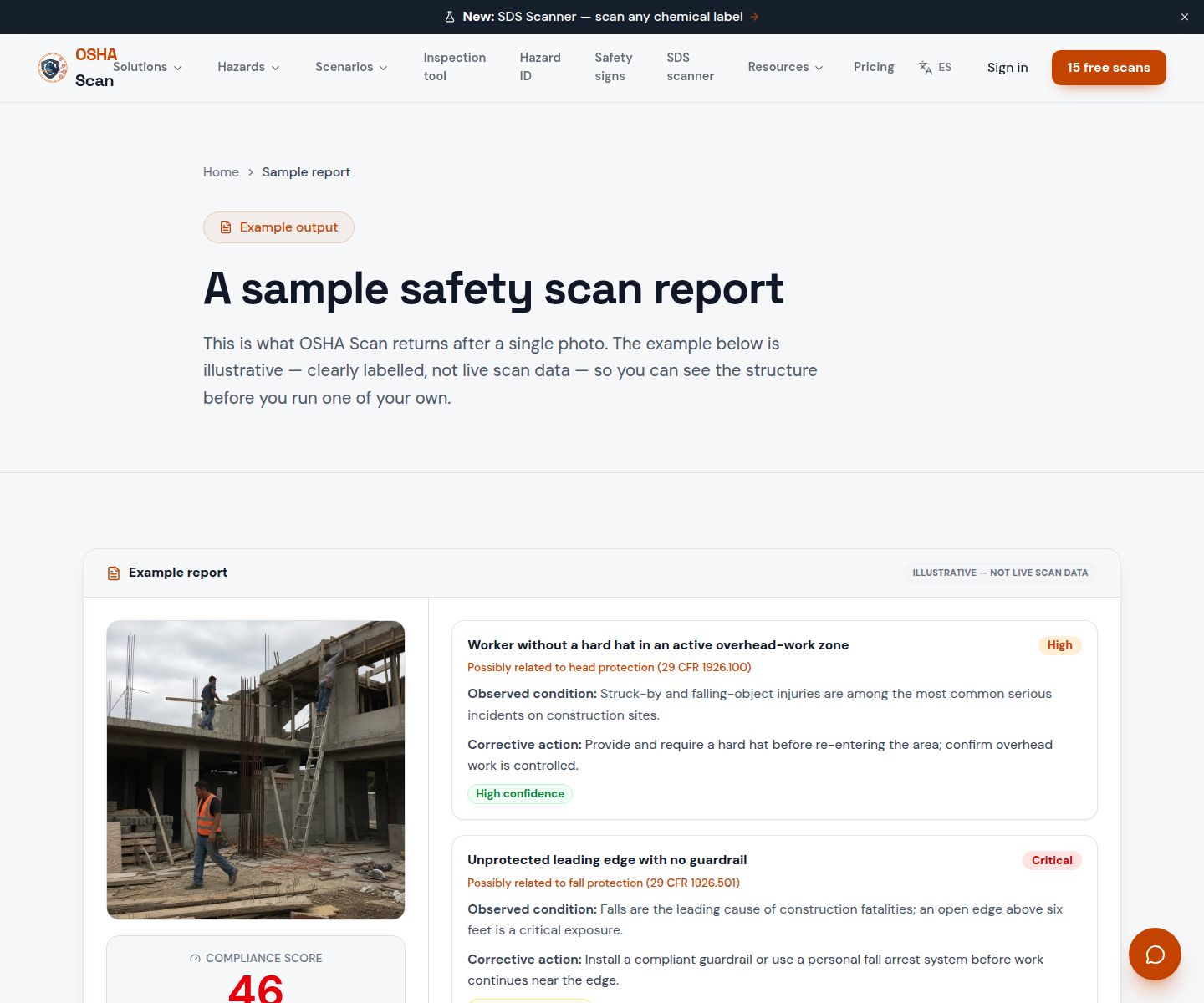
Scan a photo like the one above and this is the report you get — score, findings, OSHA references, and fixes. It is an illustrative example, clearly marked — not live scan data.
Compliance score
58
Lower means more potential hazards found
5 potential hazards found
1Machine guard removed — point-of-operation exposed on press
CriticalPossibly related to machine guarding requirements (29 CFR 1910.212)
Observed condition: An exposed point-of-operation is a finger, hand, or arm injury waiting for a moment of inattention — guards removed for maintenance must be reinstalled before the machine is restarted.
Corrective action: Replace the point-of-operation guard before restarting the press; log the incident in the maintenance record and verify the reinstallation before the next shift.
High confidence
2Emergency exit obstructed by pallets and wrapping materials
HighPossibly related to exit route requirements (29 CFR 1910.37)
Observed condition: An obstructed exit can slow or prevent evacuation — OSHA requires exit routes to be unobstructed, clearly marked, and of adequate width at all times.
Corrective action: Clear the materials immediately and designate an alternative staging area; mark a keep-clear zone in front of the exit with floor tape.
High confidence
Upload a photo like the one above and get a compliance score and hazard count in seconds. No account needed to scan — create a free account to unlock the full report.
Use the real site or facility name. If you save the scan after signup, it becomes the report name.
Three angles, one deeper scan
Only the wide shot is required — every extra angle gives the AI more places to look.
Required: Set the scene — one wide shot lets the AI sweep the whole area at once
Stand at the entry point and capture corner to corner: floors, ladders, scaffolds, and everyone at work
Drop a job-site photo or walkthrough video
Click to upload, drag & drop, or snap a photo on site. Photos scan free in about 15 seconds — no signup, no card. Video walkthroughs (up to 3 min) run on a free account.
Small habits, sharper scans
Set the scene
Start with context
Fill the frame
2–3 ft for close-ups; keep ladders, cords and workers fully in view.
Capture clearly
Make the frame usable
Light it right
Keep the sun or lights behind you — glare and shadows hide hazards.
Tap to focus
Tap the hazard on screen and hold still one second — blur can't be flagged.
Choose the useful view
Give the AI room to understand
Go landscape
Turn your phone sideways — a wider frame catches more of the scene.
Only upload photos you have permission to use, and avoid images showing personal, customer, or confidential information. Demo photos and results are held privately for up to 48 hours so you can save them to a free account; unclaimed photos are deleted automatically. Results are an AI-assisted preliminary review, not an official OSHA determination.
New: Video walkthrough scans
Record up to 3 minutes of your site — the AI extracts frames and flags every hazard with exact timestamps. Free account required.
Get the best results
Wide shot first
Stand at the entrance and photograph the entire work area so AI sees the full context
Hazard areas
Photograph elevated surfaces, equipment, electrical panels, and anywhere workers are active
Close-ups last
Move in close on anything damaged, missing, or that looks risky — the AI catches more detail
How to get maximum value from AI-powered safety inspections — and keep the documentation defensible. First four points free; a free account unlocks the rest.
Start with a photo, not a form
The photo is the evidence; the form is the documentation of what you saw. AI inspection software generates the form from the photo — which means your record is never more complete than the photo you took.
One photo per area or zone
A photo per room, machine, aisle, or zone localizes findings and makes per-area trend lines meaningful — a wide shot of everything buries findings and makes trend tracking impossible.
Frame the hazard with its context
The machine AND its guard, the ladder AND its footing, the cord AND the walkway it crosses — the AI reads relationships, so the frame must contain them.
Verify findings before the report becomes the record
Every generated finding is a draft. A person confirms or dismisses each one on the floor — with a reason if dismissed — and that verification step is what makes the automated record defensible.
Review the public sample before scanning a photo from your own work area.
View sample reportOSHA Scan reads a single photo. That makes it fast and easy for anyone on site — but it also means it has real limits. Here's an honest look at both.
A scan is a fast first look, not the final word. Before treating this kind of area as safe, a competent person should still confirm:
AI safety inspection software uses computer vision to analyze a workplace photo and produce a structured inspection report — hazards identified, OSHA standards cited, corrective actions suggested, and a compliance score calculated — automatically. Instead of filling out a form, a supervisor photographs the work area and the software generates the report. A person then verifies findings on site before they become the record.
OSHA Scan works across construction, manufacturing, warehousing, distribution, healthcare, hospitality, food processing, property management, auto repair, HVAC, laboratories, schools, offices, and more. The AI reads the work area from the photo — it does not require an industry-specific template.
No — and any software that implies it does is overselling. OSHA Scan augments your safety team: it gives every supervisor a fast, consistent second set of eyes for the visible half of hazard detection, so the qualified safety professional's time goes to the judgment calls that need it. Every report includes a verification step where a person confirms findings on the floor before they become the record.
Yes. You can organize scans by site, zone, department, or area and review dated per-area scores and trends. Reports retain a consistent structure across locations; OSHA Scan does not claim advanced cross-site comparison BI.
The 0-100 score is computed from the number and severity of hazards found in the photo — more findings and higher-severity findings produce a lower score. The same photo always produces the same score, so changes in the score over time reflect real changes in conditions rather than variation in who did the inspection.
Yes — upload a photo and see the score and hazard count with no account. An account unlocks fuller reports with OSHA references, suggested corrective actions, saved history, and export options.
Reviewed by OSHA Scan Editorial
Last updated August 29, 2026
This content is produced by the OSHA Scan Editorial team and reviewed with AI assistance. It is general safety information, not legal or compliance advice. OSHA Scan is an independent tool and is not affiliated with, endorsed by, or certified by OSHA or the U.S. Department of Labor.
Free PDF checklist
33 critical checks across 7 categories — the same visible gaps the AI scanner looks for. Sent to your inbox as a free PDF.
More ways to see what an AI OSHA scan can do for your site.
See the shipping dashboard scope: scores, dated trends, hazards, locations, recent inspections, and checklist progress.
Follow accepted findings from suggested action to pending or completed checklist status.
The audit buyer's guide: traditional audit vs. AI, photo workflow, and corrective action output.
The full hub of every hazard type and industry the scanner covers.
How the software generates a complete inspection report from one photo.
The buyer's guide to compliance tools and where photo-first fits.
Which compliance tasks automation can honestly take off your plate.
See a complete labelled example of everything a scan returns.
Talk through EHS or HSE photo inspections, locations, reports, and dashboard scope.
Book a DemoStart with 5 included AI site scans plus a one-time 10-scan signup bonus — no credit card. Build JHA-ready reports and catch changing conditions sooner.
Start your free trial