
1
Set the scene
Start with context
Fill the frame
2–3 ft for close-ups; keep ladders, cords and workers fully in view.
An OSHA inspection checklist is the walkthrough an inspector would do, done by you first: exits and walkways clear, fall protection in place, ladders and scaffolds sound, electrical intact, PPE in use, machines guarded, chemicals labeled, extinguishers reachable. The 12-point checklist below covers each area with what to look for. OSHA Scan compresses the visible part: photograph any work area and the AI flags hazards in seconds with the OSHA standard each may relate to — an AI-assisted preliminary review to focus your walkthrough, not a formal compliance determination.
Free · No account needed to scan · Results in seconds
OSHA inspections are mostly unannounced and mostly triggered — a complaint, a report of an injury, an emphasis program for your industry. The sites that come through them well are not the ones that scrambled when the compliance officer signed in; they are the ones whose own walkthroughs already covered the same ground, on a schedule, with findings written down and fixed. A documented self-inspection habit is also evidence of good faith when penalties are on the table.
The bottleneck has always been time: a thorough walkthrough of every area, against every standard, takes hours a supervisor rarely has. That is the specific gap a photo scan closes. Snap each work area as you walk, let the AI flag the visible issues with standard references while you focus on what a camera misses — permits, records, atmosphere, energy isolation — and leave with a time-stamped record that the walkthrough happened.
OSHA inspections fall into two categories: programmed inspections, which are scheduled based on injury rates, high-hazard industry targeting, or National Emphasis Programs; and unprogrammed inspections, which are triggered by employee complaints, referrals, fatalities, catastrophic accidents, or follow-up from prior citations. Unprogrammed inspections make up the majority of OSHA enforcement activity, and they typically begin within one working day of an imminent-danger complaint or within a few days for serious complaints. The opening conference establishes the scope; the walkaround covers the areas relevant to the trigger plus any obvious violations in plain view; employee interviews are conducted privately.
Employers have specific rights during an inspection: to require the compliance officer to present credentials, to have a company representative accompany the inspector on the walkaround, to point out relevant safety efforts and programs, and to document the inspection with their own photographs and notes. Employers also have the right to contest any citation within 15 working days — after which the citation becomes final and the penalty is due. The informal conference between the area director and the employer (held before the 15-day deadline) is where most citations are resolved, and where documented safety efforts, good-faith corrections, and corrective-action plans most directly affect the final penalty.
Point the camera at each area of the checklist below — these are the visible hazards the AI looks for.
Blocked exits, obstructed walkways, trip hazards, and material staged where people move — the first things an inspector sees too.
Unguarded edges and openings, workers near leading edges without visible protection, and missing hard hats, eye protection, or hi-vis in frame.
Damaged cords, open panels, missing machine guards, and ladder or scaffold conditions visible in the photo.
Every visible issue comes back with a severity, the OSHA standard it may relate to, and a corrective action — your walkthrough notes, pre-written.
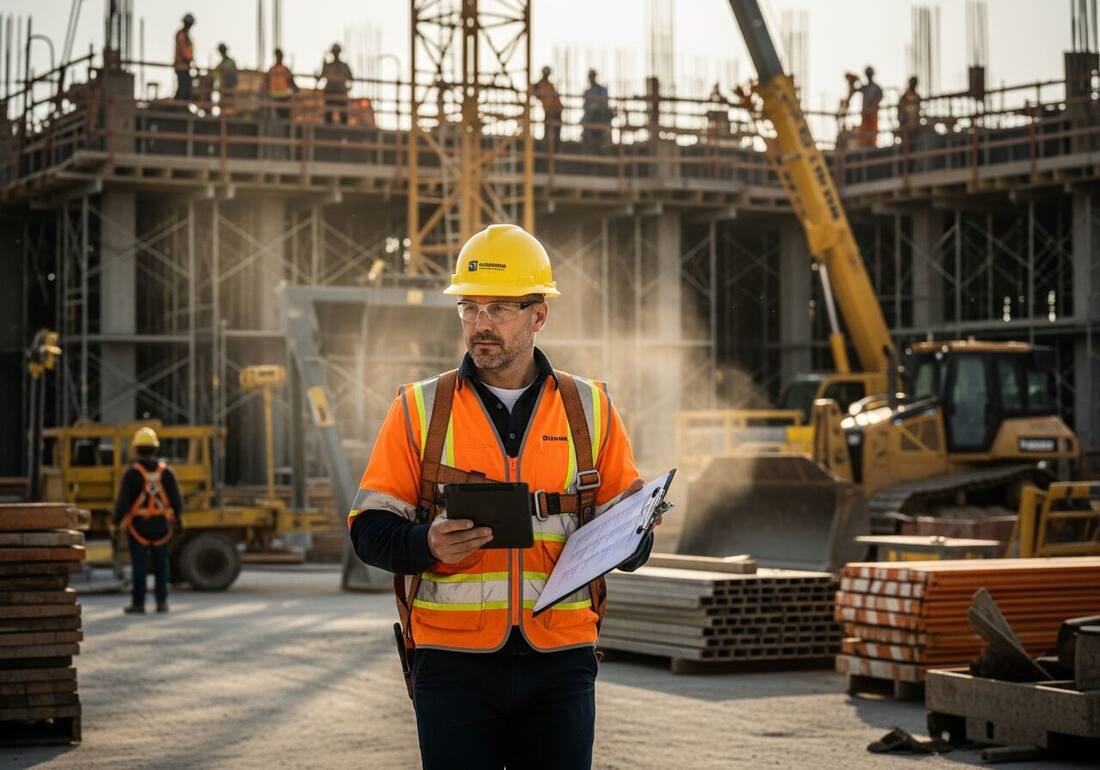
Scan a photo like the one above and this is the report you get — score, findings, OSHA references, and fixes. It is an illustrative example, clearly marked — not live scan data.
Compliance score
55
Lower means more potential hazards found
5 potential hazards found
1Workers on an elevated formwork deck with no clearly visible edge protection
HighPossibly related to fall protection at unprotected sides and edges (29 CFR 1926.501(b)(1))
Observed condition: Crews working a deck edge six feet or more up need guardrails or personal fall arrest — from the ground, absence of a visible rail is a stop-and-verify finding, not a note for later.
Corrective action: Verify guardrails or tied-off personal fall arrest for every worker on the deck before work continues at the edge.
Medium confidenceNot fully clear from the photo — verify on site.
2Rows of vertical rebar above the formwork without visible protective caps
MediumPossibly related to impalement protection (29 CFR 1926.701(b))
Observed condition: Anyone working above or beside protruding rebar is one stumble from impalement; caps rated for the exposure are a minutes-long fix.
Corrective action: Verify and cap exposed rebar ends wherever workers could fall onto them, using impalement-rated caps where work happens above.
Medium confidenceNot fully clear from the photo — verify on site.
Upload a photo like the one above and get a compliance score and hazard count in seconds. No account needed to scan — create a free account to unlock the full report.
Use the real site or facility name. If you save the scan after signup, it becomes the report name.
Three angles, one deeper scan
Only the wide shot is required — every extra angle gives the AI more places to look.
Required: Set the scene — one wide shot lets the AI sweep the whole area at once
Stand at the entry point and capture corner to corner: floors, ladders, scaffolds, and everyone at work
Drop a job-site photo or walkthrough video
Click to upload, drag & drop, or snap a photo on site. Photos scan free in about 15 seconds — no signup, no card. Video walkthroughs (up to 3 min) run on a free account.
Small habits, sharper scans
Set the scene
Start with context
Fill the frame
2–3 ft for close-ups; keep ladders, cords and workers fully in view.
Capture clearly
Make the frame usable
Light it right
Keep the sun or lights behind you — glare and shadows hide hazards.
Tap to focus
Tap the hazard on screen and hold still one second — blur can't be flagged.
Choose the useful view
Give the AI room to understand
Go landscape
Turn your phone sideways — a wider frame catches more of the scene.
Only upload photos you have permission to use, and avoid images showing personal, customer, or confidential information. Demo photos and results are held privately for up to 48 hours so you can save them to a free account; unclaimed photos are deleted automatically. Results are an AI-assisted preliminary review, not an official OSHA determination.
New: Video walkthrough scans
Record up to 3 minutes of your site — the AI extracts frames and flags every hazard with exact timestamps. Free account required.
Get the best results
Wide shot first
Stand at the entrance and photograph the entire work area so AI sees the full context
Hazard areas
Photograph elevated surfaces, equipment, electrical panels, and anywhere workers are active
Close-ups last
Move in close on anything damaged, missing, or that looks risky — the AI catches more detail
Walk these areas in order — the first four are free. Create a free account to unlock the full walkthrough and scan each area as you go.
Free checklist — 12 points
Enter your email to unlock the full checklist
We'll also send you a printable PDF copy — no account required.
One email with the checklist, one follow-up. Unsubscribe anytime.
OSHA Scan reads a single photo. That makes it fast and easy for anyone on site — but it also means it has real limits. Here's an honest look at both.
A scan is a fast first look, not the final word. Before treating this kind of area as safe, a competent person should still confirm:
The physical areas an inspector walks: exits and egress, housekeeping, fall protection, ladders, scaffolds, electrical, PPE use, machine guarding, powered equipment, chemical labeling and storage, fire protection, and first aid readiness. Pair it with the administrative side — written programs, logs, and training records — which we cover separately in the OSHA compliance checklist.
High-hazard areas like active construction change daily, so daily or per-shift visual checks with a weekly documented walkthrough is a common cadence; lower-hazard facilities often run monthly documented inspections. The honest answer is: more often than feels necessary, because conditions drift between walkthroughs. Photo scans make the in-between checks cheap enough to actually happen.
It can. Documented self-inspections with corrected findings are evidence of good faith, which OSHA weighs when setting penalties. They also mean fewer findings for the compliance officer to see in the first place. What matters is the paper trail: inspections that happened but were never written down carry little weight.
They're the two halves of the same job. This page is the physical walkthrough — what you can see on the floor. The compliance checklist covers the administrative record — written programs, postings, logs, and training documentation. An actual OSHA inspection evaluates both, so run both.
Reviewed by OSHA Scan Editorial
Last updated August 29, 2026
This content is produced by the OSHA Scan Editorial team and reviewed with AI assistance. It is general safety information, not legal or compliance advice. OSHA Scan is an independent tool and is not affiliated with, endorsed by, or certified by OSHA or the U.S. Department of Labor.
More ways to see what an AI OSHA scan can do for your site.
The overview hub — how the scanner works and every job, site, and hazard it covers.
The administrative half — written programs, postings, logs, and training records.
The deep-dive checklist for the ladder area of this walkthrough.
Guardrails, planking, and access — the full scaffold inspection.
Turn the completed walkthrough into a documented report.
See a complete labelled example of everything a scan returns.
Start with 5 included AI site scans plus a one-time 10-scan signup bonus — no credit card. Build JHA-ready reports and catch changing conditions sooner.
Start your free trial