
Outdated SDS: do safety data sheets expire, and how often to update
Safety data sheets don't carry an expiration date, but they can go out of date: a manufacturer must revise an SDS within three months of learning new significant information about a chemical's hazards, and you're expected to hold the current version. That's why the decade-old MSDS binders still sitting in break rooms are a problem — the format changed and the hazard information may have too. OSHA's 2024 update to the Hazard Communication Standard revised what appears in Sections 2, 3, 9, and 11 and set transition deadlines, which makes stale sheets even more visible. OSHA Scan does not auto-monitor revisions; it makes the audit tractable — one searchable library where each chemical shows what's attached, so you replace the PDF when the supplier issues a new one.
Free · No account needed to scan · Results in seconds
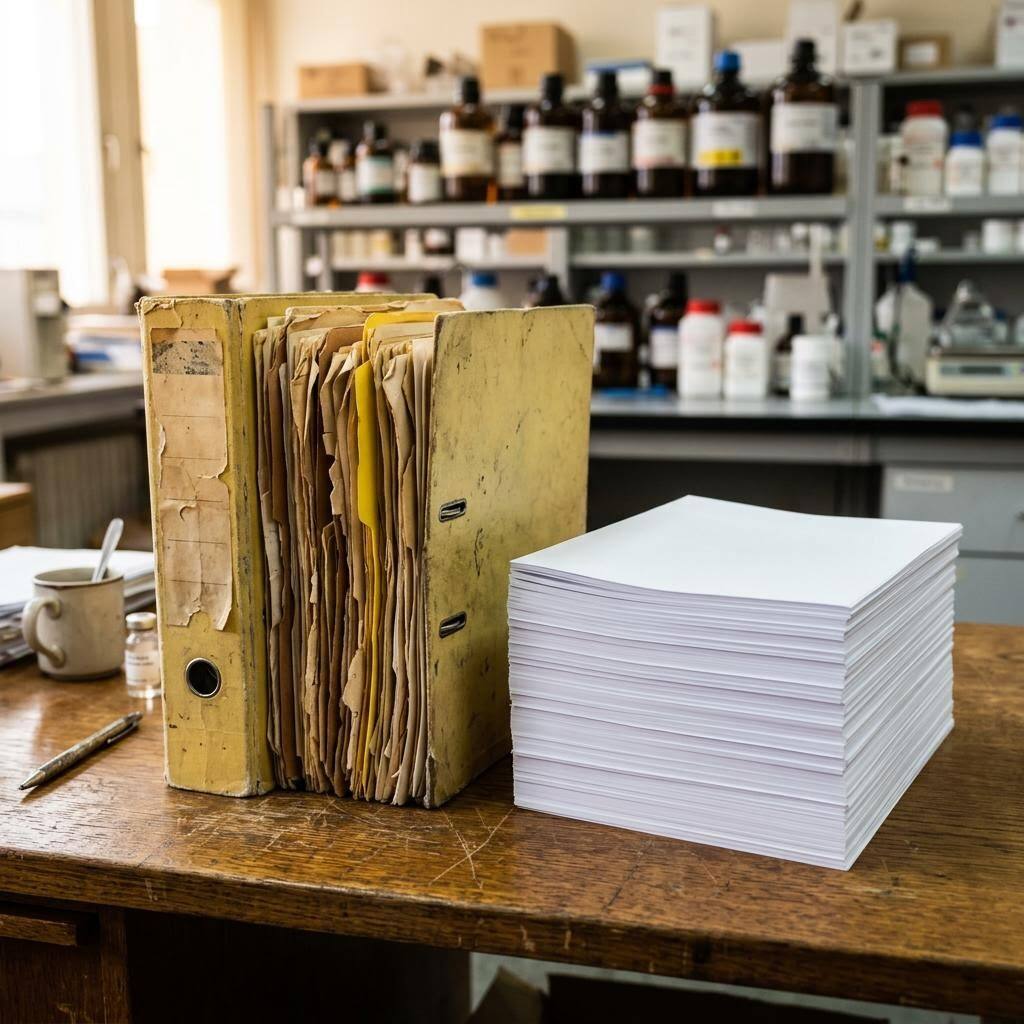
SDSs don't expire on a date — they go stale when the chemistry or the rules change
There's no printed 'use by' date on a safety data sheet, which is exactly why outdated sheets survive so long. The obligation isn't a shelf life; it's currency. A manufacturer or importer must update the SDS within three months of becoming aware of new and significant information about a chemical's hazards — a new health finding, a reclassification, a change to protective measures. When they reissue it, the version in your binder becomes obsolete, and you're expected to be holding the current one. The trigger is upstream, at the manufacturer, which is why a sheet you've never touched can quietly go out of date without anything on your end changing.
The most visible symptom is the old MSDS binder. Sheets in the pre-GHS 'MSDS' format predate the current 16-section SDS structure entirely, so a yellowed binder full of them is stale on its face. The 2024 update to the Hazard Communication Standard adds another layer: it revised the information that appears in several SDS sections and set transition deadlines for manufacturers to comply, meaning sheets issued before those changes will increasingly look dated against what suppliers now publish. Staying current isn't about watching a clock on each sheet — it's an audit habit: check the issue and revision dates on file against what your supplier currently provides, and swap in the new PDF when they issue one.
The HCS 2024 update, transition deadlines, and why legacy MSDS binders became an audit priority
OSHA finalized a significant update to the Hazard Communication Standard in 2024, aligning it with a newer revision of the Globally Harmonized System and revising elements of hazard classification, label content, and safety data sheet information. The rule set staggered compliance dates so manufacturers, importers, and distributors have defined windows to bring their labels and SDSs into conformance, and OSHA has since addressed adjustments to those transition deadlines. For employers, the practical consequence is a steady turnover of sheets: as suppliers reissue SDSs to meet the update, the versions you hold become the older ones, and a library that was accurate a year ago drifts out of date without any action on your part.
This is where the long-lived MSDS binder becomes a concrete liability rather than a curiosity. Pre-GHS 'MSDS' documents predate the 16-section SDS format entirely, so they fail the current structure before you even reach the content — and their hazard, physical-property, and toxicological information may be years behind the manufacturer's current understanding. The durable response isn't a tool that promises to watch every manufacturer for you, because no such automatic monitoring exists here. It's a disciplined, scheduled audit: consolidate every sheet into one searchable library, record each revision date, compare against what suppliers currently publish, and replace legacy and outdated sheets as you go — then repeat on a fixed cadence so the HazCom 2024 turnover doesn't leave stale sheets on the floor.
What the library shows so an SDS audit is actually doable
The app doesn't monitor revisions for you — it makes each chemical's current state visible so a person can audit it fast.
Revision date on file
Each chemical entry shows the SDS you've attached and its date, so a decade-old sheet stands out instead of hiding in a binder.
MSDS-format flags
Old pre-GHS 'MSDS' documents look nothing like the current 16-section SDS — surfacing them in one library makes the stale ones obvious.
One place to compare
A searchable library lets a person line up what's on file against the current sheet from the supplier's website in one pass.
Audit cadence support
The library is the checklist you work down on a schedule — it doesn't ping you when a manufacturer revises a sheet, because that's not something the app monitors.
Demo: the library entry a scanned label comes back with
An illustrative example for this trade — product identity, signal word, GHS pictograms, and hazard statements, filed and searchable.
Two-part epoxy resin hardener (amine component)
Example manufacturer
Epoxy chemistry is exactly where suppliers reissue sheets — scan the label so you notice when the version on file is older than the one on the container.
- H314 — Causes severe skin burns and eye damage
- H317 — May cause an allergic skin reaction
Now scan your own label — free
Photograph any chemical product on your shelf. The AI transcribes the label in seconds — no account needed to try it.
- A searchable library where each chemical shows the SDS attached and its revision date
- One place to compare what's on file against the current sheet from your supplier
- A fast way to spot decade-old MSDS documents that need replacing with a current SDS
Free · No account needed to scan · Results in seconds
The 11-point outdated-SDS audit checklist
How to find and replace stale sheets on a repeatable cadence. The first four are free — create a free account or leave your email to unlock the rest and audit your own library.
Free checklist — 11 points
Enter your email to unlock the full checklist
We'll also send you a printable PDF copy — no account required.
One email with the checklist, one follow-up. Unsubscribe anytime.
What the AI can and can't detect
OSHA Scan reads a single photo. That makes it fast and easy for anyone on site — but it also means it has real limits. Here's an honest look at both.
What it can catch from a photo
- The SDS attached to each chemical and its revision date on file
- Old pre-GHS MSDS-format documents in the library
- Whether a chemical entry has any sheet attached at all
- Mismatches between a label's formulation and the filed sheet's date
What a photo can't tell it
- When a manufacturer has issued a newer revision (no auto-monitoring)
- Whether the supplier's current sheet differs from yours in content
- Which HazCom 2024 section changes apply to a given chemical
- Whether a discontinued product is truly gone from every location
Always confirmed by a person on site
A scan is a fast first look, not the final word. Before treating this kind of area as safe, a competent person should still confirm:
- Each sheet's revision date against the version the supplier currently publishes
- That legacy MSDS documents have been replaced with current SDSs
- That HazCom 2024 section changes are reflected in your highest-hazard sheets
- That the copy workers reach on the floor matches the updated library version
People also ask
Do safety data sheets expire?
Not in the sense of a printed expiration date — an SDS has no fixed shelf life. What matters is whether it's current. A manufacturer or importer must update the SDS within three months of becoming aware of new and significant information about the chemical's hazards, and you're expected to hold that current version. So a sheet doesn't 'expire' on a date, but it becomes outdated the moment the manufacturer reissues it, which is why an audit habit beats watching a clock.
How often are safety data sheets updated?
There's no fixed calendar. Updates are event-driven: a manufacturer revises the SDS within three months of learning new significant hazard information, such as a reclassification or a new health finding. Practically, that means sheets change unpredictably and upstream of you. Beyond individual revisions, broad regulatory changes like the 2024 HazCom update drive a wave of reissues. The reliable approach is a scheduled audit — quarterly or semi-annually — comparing what you have on file to what suppliers currently publish.
What did the HazCom 2024 update change about SDSs?
OSHA's 2024 update to the Hazard Communication Standard revised elements of hazard classification, labels, and SDS content — with changes touching the information that appears in Sections 2, 3, 9, and 11 among others — and set transition deadlines for manufacturers to bring sheets and labels into compliance. The practical effect is that sheets issued before those changes will increasingly look dated against what suppliers now publish, making a library full of pre-update sheets a clear audit priority.
Are old MSDS documents still valid?
The old 'Material Safety Data Sheet' format predates the current 16-section SDS structure that HazCom now requires, so a binder of MSDS-format documents is out of date on its face. Beyond the format, the hazard information itself may have been revised in the years since. Treat every legacy MSDS as a candidate for replacement: pull the manufacturer's current SDS for that exact product and swap it in.
Does OSHA Scan tell me when an SDS has a new version?
No — and it's important to be clear about that. OSHA Scan does not auto-monitor manufacturer databases or send version-update alerts. What it does is make the audit tractable: one searchable library where each chemical shows the sheet attached and its date, so a person can compare against the supplier's current sheet and replace the PDF when a newer one exists. The monitoring is a human cadence; the app removes the busywork of finding what you have.
Reviewed by OSHA Scan Editorial
Last updated August 29, 2026
This content is produced by the OSHA Scan Editorial team and reviewed with AI assistance. It is general safety information, not legal or compliance advice. OSHA Scan is an independent tool and is not affiliated with, endorsed by, or certified by OSHA or the U.S. Department of Labor.
Keep exploring
More ways to see what an AI OSHA scan can do for your site.
The AI OSHA inspection tool
The overview hub — how the scanner works and every job, site, and hazard it covers.
SDS scanner
Scan labels to build the searchable library your audit works down.
Missing SDS: what to do
When the audit turns up a chemical with no sheet at all.
Written hazard communication program
The written plan that should name who keeps the SDS library current.
Hazard communication checklist
The full HazCom chain that keeping sheets current is one part of.
OSHA: Hazard Communication
OSHA's HazCom hub, including the 2024 update to the standard and SDS requirements.
Official resource — osha.govA full sample report
See a complete labelled example of everything a scan returns.
Ready to secure your job sites?
Start with 5 included AI site scans plus a one-time 10-scan signup bonus — no credit card. Build JHA-ready reports and catch changing conditions sooner.
Start your free trial