
1
Set the scene
Start with context
Fill the frame
2–3 ft for close-ups; keep ladders, cords and workers fully in view.
A lockout/tagout inspection verifies that hazardous energy is actually controlled before anyone works on equipment: the machine shut down by procedure, every energy source isolated, a personal lock and tag on each isolation point, stored energy released, and the isolation verified by a try-out before hands go in. OSHA Scan adds a fast first pass — photograph the work and the AI flags visible problems like a worker inside an open panel while the adjacent disconnect carries no lock, or a lockout point standing empty during service work, referencing the OSHA standard each issue may relate to. It is an AI-assisted preliminary review of what is visible in the photo, not a formal compliance determination or an energy-verification test.
Free · No account needed to scan · Results in seconds
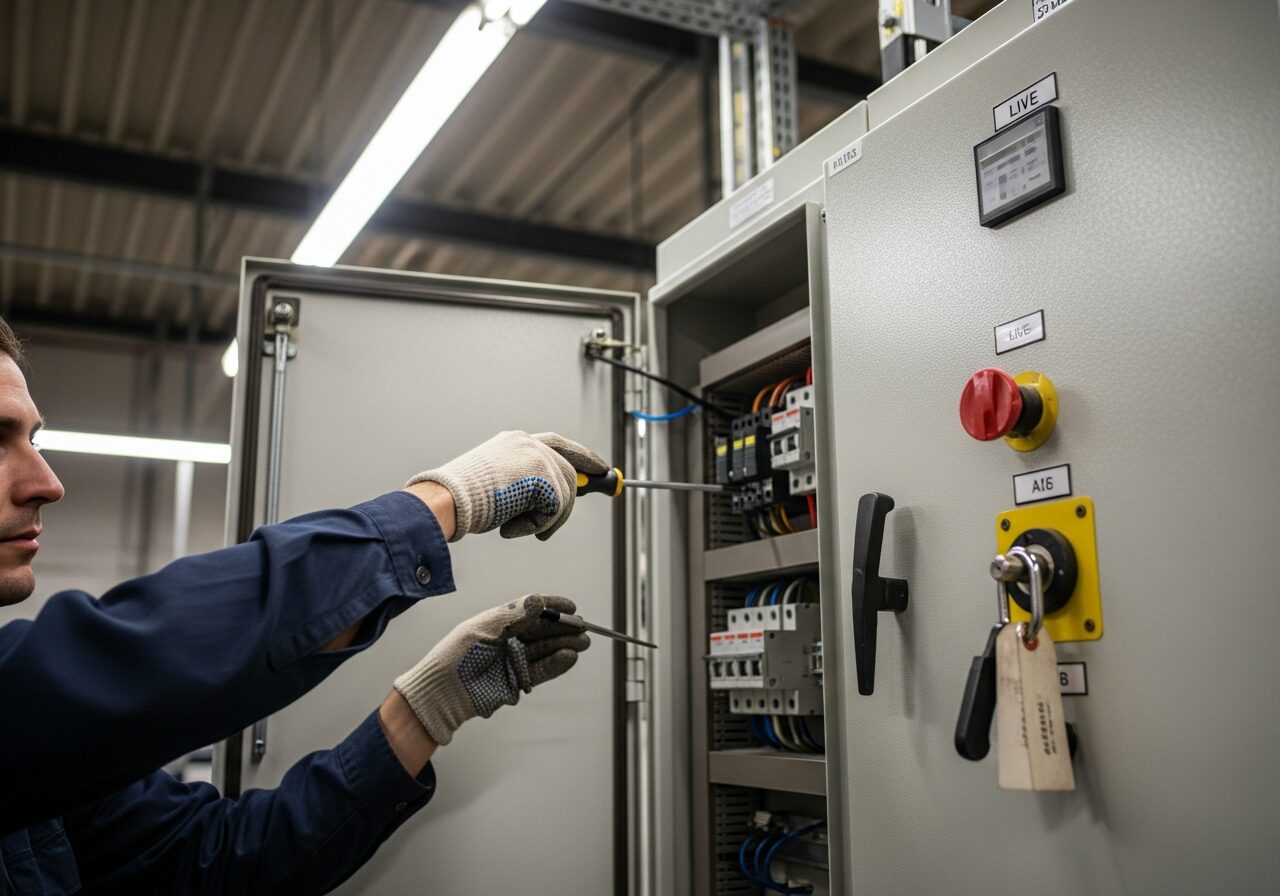
Lockout failures are rarely subtle in hindsight: the disconnect was right there, the lock was in the toolbox, and the job was going to take five minutes. Unexpected startup and stored energy remain among the most-cited serious hazards in general industry precisely because the shortcut is so tempting on quick jobs — the setup looks fine right up until the machine moves.
A photo scan lowers the bar for catching it: snap the work area and get an immediate second opinion on what is visible — open panels, empty lockout points, missing tags on applied devices — plus the checklist items a person still must verify directly, like the try-out test, stored energy release, and whether every energy source on the machine is actually in the procedure. It turns the pre-work lockout glance into a ten-second habit.
The control of hazardous energy standard (29 CFR 1910.147) is consistently cited at the serious level because the injuries it prevents — amputations, crush injuries, electrocutions — are severe enough that OSHA inspectors investigate every incident involving unexpected machine startup or energy release. The citation categories are specific: missing written energy control procedures for individual machines, procedures that don't identify all energy sources, no annual inspection of each procedure, and training that isn't documented. Many employers have a general LOTO program but lack machine-specific procedures, which is exactly what the standard requires.
Fifteen states with OSHA-approved state plans may have additional requirements or higher penalty structures. LOTO violations under a state plan can carry per-violation penalties above the federal maximum. Construction's applicable standard (29 CFR 1926.417) is less comprehensive than the general industry standard, but the general duty clause fills the gap — and incident investigations after construction amputations routinely cite inadequate energy control as a contributing cause. Group lockout — when multiple crafts work on the same equipment — requires each authorized employee to apply their own personal lock, a requirement that often goes unimplemented even when individual locks are being used.
Visible energy-control issues the AI checks in a photo of service or maintenance work.
Disconnects, breakers, and valves in the work area with lockout provisions visible but no padlock applied during service work.
Applied devices with no tag identifying who placed them, and tags too damaged or faded to read in the frame.
Hands and tools inside open electrical panels or machine enclosures while adjacent isolation points appear unsecured.
Disconnect handles that appear to remain in the ON position at equipment under active service in the photo.
This illustrative public sample of the real report interface shows visible findings and suggested actions; it does not verify energy isolation or replace an authorized employee's procedure.
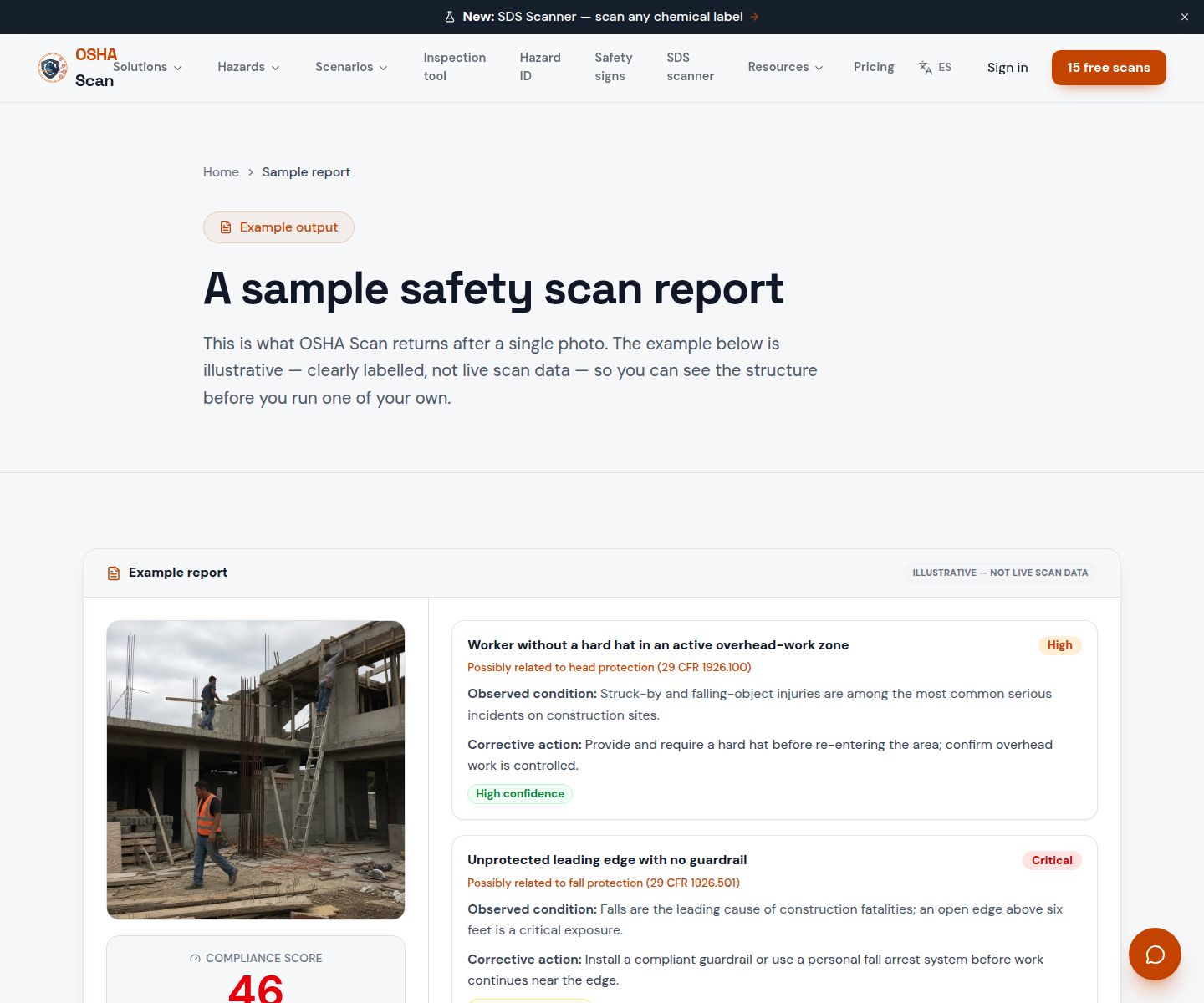
Scan a photo like the one above and this is the report you get — score, findings, OSHA references, and fixes. It is an illustrative example, clearly marked — not live scan data.
Compliance score
38
Lower means more potential hazards found
5 potential hazards found
1Hands and tools inside an open control panel marked live, with no lock visible on the adjacent disconnect
CriticalPossibly related to the control of hazardous energy (29 CFR 1910.147)
Observed condition: Working inside a panel that has not been locked out leaves the worker one switch-throw away from energized contact or unexpected startup.
Corrective action: Stop work, shut down and isolate the circuit, apply a personal lock and tag at the disconnect, and verify de-energization before resuming.
High confidence
2Lockout point on the disconnect standing empty during service work
HighPossibly related to lockout device application (29 CFR 1910.147(d)(4))
Observed condition: An unlocked isolation point means anyone walking past can restore energy without knowing a person is inside the equipment.
Corrective action: Apply each authorized worker's personal padlock to the lockout point — one lock per person, removed only by the person who placed it.
Medium confidenceNot fully clear from the photo — verify on site.
Upload a photo like the one above and get a compliance score and hazard count in seconds. No account needed to scan — create a free account to unlock the full report.
Use the real site or facility name. If you save the scan after signup, it becomes the report name.
Three angles, one deeper scan
Only the wide shot is required — every extra angle gives the AI more places to look.
Required: Set the scene — one wide shot lets the AI sweep the whole area at once
Stand at the entry point and capture corner to corner: floors, ladders, scaffolds, and everyone at work
Drop a job-site photo or walkthrough video
Click to upload, drag & drop, or snap a photo on site. Photos scan free in about 15 seconds — no signup, no card. Video walkthroughs (up to 3 min) run on a free account.
Small habits, sharper scans
Set the scene
Start with context
Fill the frame
2–3 ft for close-ups; keep ladders, cords and workers fully in view.
Capture clearly
Make the frame usable
Light it right
Keep the sun or lights behind you — glare and shadows hide hazards.
Tap to focus
Tap the hazard on screen and hold still one second — blur can't be flagged.
Choose the useful view
Give the AI room to understand
Go landscape
Turn your phone sideways — a wider frame catches more of the scene.
Only upload photos you have permission to use, and avoid images showing personal, customer, or confidential information. Demo photos and results are held privately for up to 48 hours so you can save them to a free account; unclaimed photos are deleted automatically. Results are an AI-assisted preliminary review, not an official OSHA determination.
New: Video walkthrough scans
Record up to 3 minutes of your site — the AI extracts frames and flags every hazard with exact timestamps. Free account required.
Get the best results
Wide shot first
Stand at the entrance and photograph the entire work area so AI sees the full context
Hazard areas
Photograph elevated surfaces, equipment, electrical panels, and anywhere workers are active
Close-ups last
Move in close on anything damaged, missing, or that looks risky — the AI catches more detail
Run these points before hands go into equipment. The first four are free — create a free account to unlock the full checklist and scan your own lockout setups.
Free checklist — 12 points
Enter your email to unlock the full checklist
We'll also send you a printable PDF copy — no account required.
One email with the checklist, one follow-up. Unsubscribe anytime.
Jump to this page's downloadable lockout/tagout checklist.
View the LOTO checklistOSHA Scan reads a single photo. That makes it fast and easy for anyone on site — but it also means it has real limits. Here's an honest look at both.
A scan is a fast first look, not the final word. Before treating this kind of area as safe, a competent person should still confirm:
The core items are: a machine-specific procedure, all energy sources identified, notification, shutdown by procedure, locks on every isolation point, one personal lock per worker, legible tags, stored energy release, verification by try-out, owner-only lock removal, a cleared area before restart, and an annual audit. A photo scan covers the visible lock-and-tag items instantly; verification and stored-energy checks must be done by the authorized worker.
It checks what is visible: empty lockout points during service work, hands inside unprotected equipment, missing tags, and disconnect positions. It cannot confirm the circuit is actually dead, that stored energy is released, or that the procedure covers every source — the try-out and meter check remain the worker's job. Treat the scan as a fast visual cross-check before work starts.
The control of hazardous energy in general industry is 29 CFR 1910.147, with electrical safe work practices in 1910.331–335; construction has related requirements in 29 CFR 1926 Subpart K. OSHA Scan references the standard each visible finding may relate to — the scan itself is a preliminary AI review, not an official determination.
Reviewed by OSHA Scan Editorial
Last updated August 29, 2026
This content is produced by the OSHA Scan Editorial team and reviewed with AI assistance. It is general safety information, not legal or compliance advice. OSHA Scan is an independent tool and is not affiliated with, endorsed by, or certified by OSHA or the U.S. Department of Labor.
More ways to see what an AI OSHA scan can do for your site.
The overview hub — how the scanner works and every job, site, and hazard it covers.
Keep accepted corrective-action checklist items pending until a qualified person verifies completion.
A deep dive on how energy control breaks down on real jobs.
The other half of machine safety — guards while running.
Scan panels, cords, and clearances for visible electrical issues.
LOTO on lifts and machinery in service-bay settings.
See a complete labelled example of everything a scan returns.
Start with 5 included AI site scans plus a one-time 10-scan signup bonus — no credit card. Build JHA-ready reports and catch changing conditions sooner.
Start your free trial