
1
Set the scene
Start with context
Fill the frame
2–3 ft for close-ups; keep ladders, cords and workers fully in view.
Machine guarding violation detection means spotting exposed moving parts in a photo of your equipment: missing or removed guards on saws and grinders, unguarded belts, pulleys, and rotating shafts, open pinch points on conveyors, and workers positioned close to exposed mechanisms. Upload an image and OSHA Scan's AI flags each visible exposure, references the OSHA machine guarding standard it may relate to, and suggests a fix. It reports what is visible in the frame — it cannot verify interlock function or guard specifications — so it is an AI-assisted preliminary review, not a formal machine safety assessment.
Free · No account needed to scan · Results in seconds
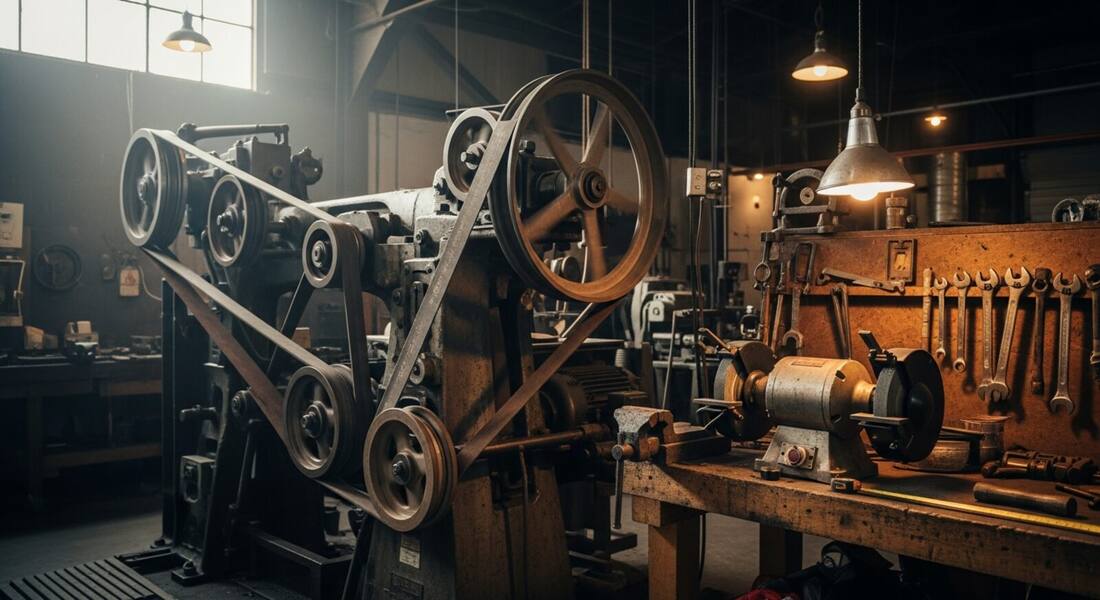
Almost no machine ships without guards — the violations appear over time. A guard comes off for a jam or a blade change and sits on the floor while production resumes. A conveyor cover gets bent and discarded. A bench grinder's tool rest drifts out of adjustment. Each one exposes the operators who use that machine every shift, and machine hazards are behind some of the most severe injuries OSHA tracks, including amputations.
A photo scan is a fast way to sweep a shop or line for the guards that quietly disappeared: photograph the equipment and the AI flags visible exposures — open belts and pulleys, missing blade guards, reachable pinch points — with the OSHA standard each may relate to. Supervisors run it after maintenance windows, when reinstalling the guard is the step most likely to be skipped.
Machine guarding (29 CFR 1910.212 for general industry) consistently appears in OSHA's top-ten most-cited list, and the injuries it is cited in connection with are among the most severe tracked by BLS: amputations, deglovings, and crush injuries. OSHA's Amputation National Emphasis Program (NEP) specifically targets machine guarding compliance in manufacturing industries, with targeted inspections at facilities where machinery with amputation potential is present. Under the NEP, inspectors are trained to evaluate guarding at every machine in scope — not just the one that triggered an inspection.
The guarding standard requires that every machine designed to transmit motion — belts, pulleys, chains, gears, sprockets, flywheels, and rotating shafts — be guarded to prevent contact. Fixed guards are preferred; interlocked guards that stop motion when opened are acceptable; adjustable guards require employee training and are the least preferred option. OSHA's machine guarding citations frequently involve guards that were removed for maintenance and not reinstalled, guards that were modified to allow access without eliminating the hazard, and equipment where guarding was never installed. Connecting a machine guarding program to a documented LOTO procedure — so guards come off only under lockout — is the administrative control that closes the maintenance-window gap where most amputations occur.
Visible exposures the AI checks in an equipment photo.
Saws, grinders, and cutting equipment operating with guards visibly absent or propped out of position.
Unguarded belts, pulleys, chains, sprockets, and rotating shafts within reach of workers.
Open in-running rolls, conveyor transfer points, and reachable pinch zones without visible barriers.
People working or reaching close to visibly exposed moving parts, or bypassing barriers in the frame.
Scan a photo like the one above and this is the report you get — score, findings, OSHA references, and fixes. It is an illustrative example, clearly marked — not live scan data.
Compliance score
45
Lower means more potential hazards found
5 potential hazards found
1Bench grinder operating with the wheel guard removed
HighPossibly related to machine guarding (29 CFR 1910.212)
Observed condition: An unguarded abrasive wheel can shatter at speed, and contact with the exposed wheel causes severe hand injuries.
Corrective action: Take the grinder out of service until the guard and tool rest are reinstalled and adjusted.
High confidence
2Exposed belt and pulley within reach of the walkway
HighPossibly related to mechanical power-transmission apparatus (29 CFR 1910.219)
Observed condition: Loose clothing, hair, or a hand near an in-running nip point can be drawn in faster than anyone can react.
Corrective action: Install a fixed guard enclosing the belt and pulley to the required height along the walkway.
Medium confidenceNot fully clear from the photo — verify on site.
Upload a photo like the one above and get a compliance score and hazard count in seconds. No account needed to scan — create a free account to unlock the full report.
Use the real site or facility name. If you save the scan after signup, it becomes the report name.
Three angles, one deeper scan
Only the wide shot is required — every extra angle gives the AI more places to look.
Required: Set the scene — one wide shot lets the AI sweep the whole area at once
Stand at the entry point and capture corner to corner: floors, ladders, scaffolds, and everyone at work
Drop a job-site photo or walkthrough video
Click to upload, drag & drop, or snap a photo on site. Photos scan free in about 15 seconds — no signup, no card. Video walkthroughs (up to 3 min) run on a free account.
Small habits, sharper scans
Set the scene
Start with context
Fill the frame
2–3 ft for close-ups; keep ladders, cords and workers fully in view.
Capture clearly
Make the frame usable
Light it right
Keep the sun or lights behind you — glare and shadows hide hazards.
Tap to focus
Tap the hazard on screen and hold still one second — blur can't be flagged.
Choose the useful view
Give the AI room to understand
Go landscape
Turn your phone sideways — a wider frame catches more of the scene.
Only upload photos you have permission to use, and avoid images showing personal, customer, or confidential information. Demo photos and results are held privately for up to 48 hours so you can save them to a free account; unclaimed photos are deleted automatically. Results are an AI-assisted preliminary review, not an official OSHA determination.
New: Video walkthrough scans
Record up to 3 minutes of your site — the AI extracts frames and flags every hazard with exact timestamps. Free account required.
Get the best results
Wide shot first
Stand at the entrance and photograph the entire work area so AI sees the full context
Hazard areas
Photograph elevated surfaces, equipment, electrical panels, and anywhere workers are active
Close-ups last
Move in close on anything damaged, missing, or that looks risky — the AI catches more detail
Walk the shop floor with these points. The first four are free — create a free account to unlock the full checklist and scan your own equipment photos.
Point of operation guarded
The spot where the machine cuts, presses, or forms is enclosed or protected so no part of a body can reach it during the cycle.
Belts, pulleys, and chains enclosed
Power transmission parts below seven feet are fully enclosed — a spinning pulley behind a missing panel is one of the most cited machine hazards.
Rotating shafts and couplings covered
Exposed shaft ends, couplings, and keyways are covered so clothing, hair, and gloves cannot wrap.
Grinder rests and guards adjusted
Bench grinder work rests sit close to the wheel and tongue guards close to the top — gaps grow as wheels wear and need regular re-adjustment.
OSHA Scan reads a single photo. That makes it fast and easy for anyone on site — but it also means it has real limits. Here's an honest look at both.
A scan is a fast first look, not the final word. Before treating this kind of area as safe, a competent person should still confirm:
Generally, any point of operation, in-running nip point, rotating part, or flying-debris source that a worker can reach without a guard or protective device — the core requirement of 29 CFR 1910.212. The scan flags exposures that are visible in the photo; whether a specific guard meets the specification for that machine still needs a qualified review.
No. Functional safeguards need hands-on testing — an interlocked guard that looks closed can still be bypassed or broken. The scan is strongest on physically missing or open guarding, and it lists device testing under what to verify manually.
It adds a fast, repeatable visual sweep to your existing program — useful after maintenance, on new equipment, and for documenting conditions. It is an AI-assisted preliminary check, not a substitute for the machine risk assessments and lockout/tagout procedures those programs require.
Reviewed by OSHA Scan Editorial
Last updated August 29, 2026
This content is produced by the OSHA Scan Editorial team and reviewed with AI assistance. It is general safety information, not legal or compliance advice. OSHA Scan is an independent tool and is not affiliated with, endorsed by, or certified by OSHA or the U.S. Department of Labor.
Free PDF checklist
33 critical checks across 7 categories — the same visible gaps the AI scanner looks for. Sent to your inbox as a free PDF.
More ways to see what an AI OSHA scan can do for your site.
The overview hub — how the scanner works and every job, site, and hazard it covers.
The full machine guarding hazard guide.
Guarding and condition checks for the portable tools.
How entanglement incidents develop.
The reachable nip points crews miss.
Check operator PPE in the same photo.
Why guarding is an engineering control above PPE.
See a complete labelled example of everything a scan returns.
Start with 5 included AI site scans plus a one-time 10-scan signup bonus — no credit card. Build JHA-ready reports and catch changing conditions sooner.
Start your free trial