
1
Set the scene
Start with context
Fill the frame
2–3 ft for close-ups; keep ladders, cords and workers fully in view.
Workplace safety software helps teams find hazards, assign corrective actions, and build a documented safety record — across every location, shift, and work area. OSHA Scan is photo-first workplace safety software: any supervisor photographs a work area and the AI returns visible hazards, the OSHA standard each may relate to, a corrective-action suggestion, and a 0-100 compliance score in seconds. No form, no template, no specialist required to run a scan. A person verifies every finding on the floor. Multi-site dashboard included. Free to start, no account needed.
Free · No account needed to scan · Results in seconds
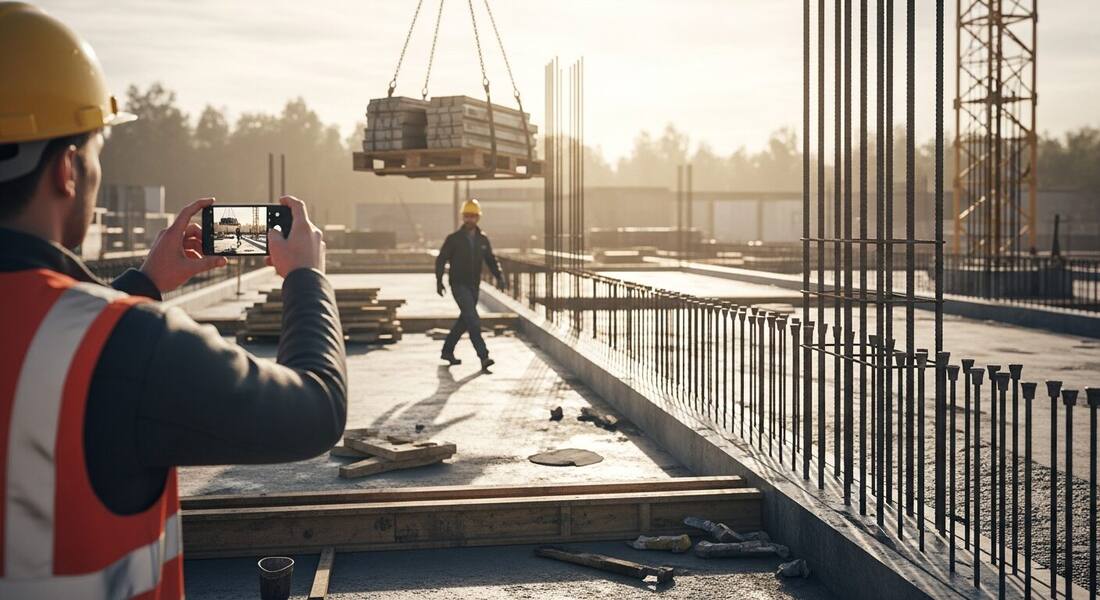
Every workplace safety program runs on the same loop: find hazards, fix them, prove both happened. Most safety software is strong at the prove step — forms, audit trails, incident logs, compliance calendars. The loop fails at the find step: inspections that do not happen consistently because they are too slow, too formal, or require a safety specialist who covers too many locations to be everywhere.
Photo-first workplace safety software closes that gap. Any supervisor — a warehouse shift lead, a manufacturing floor manager, a construction foreman, a hotel housekeeping director — photographs a work area and gets a preliminary inspection report in seconds. Hazards are named, the OSHA standard each may relate to is cited, corrective actions are suggested, and the area is scored. The safety professional's role becomes verification and oversight, not form completion.
The result is that the safety loop actually runs. High-traffic areas get scanned weekly instead of monthly. High-hazard zones get scanned at every shift change instead of quarterly. And the dashboard shows management the real compliance picture — not what the last scheduled walkthrough captured, but what the floor looks like now.
Multi-site operations are where inconsistency hides. One location's foreman is thorough; another's is rushed. One team documents everything; another treats the safety walkthrough as a formality. Traditional inspection programs produce different-quality findings depending on who ran the walkthrough and how much time they had. Photo-first software normalizes the output: the AI applies the same analysis to every photo, regardless of who took it or when. A scan from a construction site and a scan from a distribution center produce the same report structure — findings, severity ratings, OSHA standard references, corrective actions, compliance score — so a safety manager comparing locations is comparing real data, not comparing people.
OSHA Scan's multi-site dashboard reflects this consistency. Per-area scores from every location appear alongside trend lines showing week-over-week change. A safety director reviewing ten sites can see which areas are improving, which have recurring findings, and which location dropped in score after a staffing change — without visiting any of them. Management review becomes evidence-based program management, not anecdote exchange.
The barrier to software adoption in field teams is almost always complexity, not cost. If a tool requires training, a login workflow, and a form to fill before producing anything useful, the team reverts to clipboards or skips the step entirely. The tools that stick are the ones where the first experience is the useful experience: pick up the phone, take a photo, get results. OSHA Scan is free to try with no account — any team member can run their first scan in under a minute and see the 0-100 score in about 15 seconds before anyone commits to a process change.
Once the team sees the output — a scored, cited, corrective-action-linked report from a real photo of their real work area — adoption conversations become concrete. The question stops being 'how does this software work?' and becomes 'which areas do we scan first?' That is the right conversation to be having before a citation or an incident makes the decision for you.
In the US market, OSHA enforcement is not the only reason a workplace safety software budget gets approved, but it is often the trigger. An inspection can arrive after a complaint, a referral, a serious injury, or as part of a national emphasis program — and the general duty clause means a hazard does not need a specific standard for a citation to follow. The direct penalty is only part of the picture: an open citation can pull a company into follow-up inspections, drive up experience-rated insurance premiums, and surface in the prequalification questions that decide who gets the next contract. The qualitative reality is that the cost of a documented, uncorrected hazard tends to compound well beyond the line-item fine.
This is where workplace safety software earns its place. The value is not that software prevents an inspection — nothing does — but that it produces the dated, photo-backed record of hazard identification and correction that the general duty clause and OSHA's recommended practices expect a good-faith program to have. When OSHA Scan flags a visible hazard, notes the standard it may relate to, and tracks the fix to a re-scan, the workplace is building exactly the evidence trail that turns a hard conversation with an inspector, an insurer, or a plaintiff's attorney into a defensible one.
None of this replaces judgment. A compliance score is not an OSHA determination, and OSHA Scan is not affiliated with OSHA. The software gives a supervisor a fast, consistent preliminary read on visible and potential hazards so the workplace can act before an incident or a citation forces the issue — the human program still owns the final call.
General contractors and insurers ask subcontractors and insured operations the same underlying question during prequalification and loss-control review: show us that your safety program actually runs. In practice that means EMR and injury history, written programs, training records, and — increasingly — evidence of routine hazard identification and correction. A binder of blank checklist templates does not answer that question. A dated record of scanned work areas, flagged hazards, assigned corrective actions, and re-scan closures does. Workplace safety software that generates that record as a byproduct of normal work is far more convincing than a program that only produces paperwork when someone asks.
This is the core reason a photo-first approach beats a form-first one for the find step of the safety loop. A form depends on the person filling it out knowing what to look for and having the time to write it down; the quality varies with who is holding the clipboard and how rushed they are. A photo is objective input — the AI applies the same analysis to every image, so a rushed shift lead and a thorough safety manager produce the same report structure. For a GC or insurer comparing sites, that consistency is the difference between comparing real conditions and comparing how carefully each location's paperwork was completed.
Photo-first is also faster to defend. A finding that ties a named hazard to a specific work-area photo, a standard it may relate to, a corrective action, and an after-photo showing the fix is self-documenting. When an insurer's loss-control engineer or a GC's safety team asks what a workplace is doing about a recurring exposure, the answer is an export, not a story — which is precisely what moves a workplace from a question mark to an approved vendor.
Run through these steps before crews start — each one covers a visible gap the AI can help you catch.
Write down the jobs to be done before you look at any product: routine visible-hazard scanning, corrective-action tracking, multi-site roll-ups, and exportable reports. Match each requirement to who will use it — a shift lead, a foreman, a safety director — so you evaluate against real workflows, not a feature list.
Run the tool on a real work-area photo and time it. Photo-first workplace safety software should return visible hazards, the OSHA standard each may relate to, and a suggested corrective action in seconds without a form. If getting a first result requires training or a template, field teams will not adopt it.
Confirm that accepted findings become assignable checklist items with owners and due dates, and that scans roll up by site, building, or zone. A safety lead covering several locations should see per-area scores and open actions in one dashboard without visiting each site.
Verify you can export a report as PDF for a GC, insurer, or audit file and as Excel for cross-site roll-ups. Confirm the vendor is clear that findings are AI-assisted drafts a person verifies, that a compliance score is not an OSHA determination, and that atmosphere, energy isolation, and equipment certification still need qualified review.
Photograph one of your real work areas and upload it to OSHA Scan — no account needed for the first scan. In about 15 seconds you get visible hazards, referenced OSHA standards, corrective-action suggestions, and a 0-100 score, so you can judge the software against your own site before you buy.
One photo, one report — for any industry, any location, any work area.
Photograph a construction site, factory floor, warehouse, clinic, restaurant, or office — the AI applies the same structured safety analysis regardless of setting, with no industry-specific template required.
Every visible hazard is rated by severity and referenced to the OSHA standard family it may relate to — giving each finding the regulatory context a supervisor, auditor, or insurer needs.
Accepted findings become assigned checklist items with owners and due dates — trackable across your whole team until each action closes with a re-scan.
Per-area compliance scores and trend lines across every location give safety directors and EHS leads a real-time program view without requiring a site visit.
Scan a photo like the one above and this is the report you get — score, findings, OSHA references, and fixes. It is an illustrative example, clearly marked — not live scan data.
Compliance score
57
Lower means more potential hazards found
5 potential hazards found
1Forklift operating in a shared pedestrian aisle without separation barriers
CriticalPossibly related to powered industrial truck and traffic control requirements (29 CFR 1910.178)
Observed condition: Forklift-pedestrian collisions are a leading cause of workplace fatalities — OSHA requires effective separation between vehicle traffic and foot traffic in shared aisles.
Corrective action: Establish physical or painted lane separation in all shared aisles; implement a traffic management plan for the area; retrain forklift operators on pedestrian right-of-way.
High confidence
2Electrical panel access blocked by stored equipment and boxes
HighPossibly related to electrical panel clearance requirements (29 CFR 1910.303)
Observed condition: OSHA requires 36 inches of clear access in front of electrical panels — obstructed panels delay emergency shutoffs and block qualified workers during servicing.
Corrective action: Clear the obstruction immediately and designate an alternative storage area; mark a keep-clear zone in front of the panel with floor tape.
High confidence
Upload a photo like the one above and get a compliance score and hazard count in seconds. No account needed to scan — create a free account to unlock the full report.
Use the real site or facility name. If you save the scan after signup, it becomes the report name.
Three angles, one deeper scan
Only the wide shot is required — every extra angle gives the AI more places to look.
Required: Set the scene — one wide shot lets the AI sweep the whole area at once
Stand at the entry point and capture corner to corner: floors, ladders, scaffolds, and everyone at work
Drop a job-site photo or walkthrough video
Click to upload, drag & drop, or snap a photo on site. Photos scan free in about 15 seconds — no signup, no card. Video walkthroughs (up to 3 min) run on a free account.
Small habits, sharper scans
Set the scene
Start with context
Fill the frame
2–3 ft for close-ups; keep ladders, cords and workers fully in view.
Capture clearly
Make the frame usable
Light it right
Keep the sun or lights behind you — glare and shadows hide hazards.
Tap to focus
Tap the hazard on screen and hold still one second — blur can't be flagged.
Choose the useful view
Give the AI room to understand
Go landscape
Turn your phone sideways — a wider frame catches more of the scene.
Only upload photos you have permission to use, and avoid images showing personal, customer, or confidential information. Demo photos and results are held privately for up to 48 hours so you can save them to a free account; unclaimed photos are deleted automatically. Results are an AI-assisted preliminary review, not an official OSHA determination.
New: Video walkthrough scans
Record up to 3 minutes of your site — the AI extracts frames and flags every hazard with exact timestamps. Free account required.
Get the best results
Wide shot first
Stand at the entrance and photograph the entire work area so AI sees the full context
Hazard areas
Photograph elevated surfaces, equipment, electrical panels, and anywhere workers are active
Close-ups last
Move in close on anything damaged, missing, or that looks risky — the AI catches more detail
How to roll out photo-based safety scanning across a team or multi-site operation. First four points free; a free account unlocks the rest.
Start with your highest-risk work areas, not your whole site
Pick the two or three areas with the most historical incidents or the densest hazard exposure — active loading docks, machine cells, high-traffic aisles — and prove the workflow there before expanding.
Make scanning part of an existing routine, not a new task
Attach a scan to something that already happens: the shift-start walkthrough, the pre-task brief, the machine startup check. Adding a photo to a step already in the routine is nearly frictionless.
Assign a scan owner per area, not per site
Ownership at the site level means accountability is diffuse. Assign a specific person to scan each zone or area on each shift — and track their cadence on the dashboard.
Verify every finding on the floor the same day it is generated
Generated findings are AI drafts. A person confirms each one at the location, with a reason if dismissed, before it becomes the record. A finding sitting unverified in the dashboard is a liability, not a record.
OSHA Scan reads a single photo. That makes it fast and easy for anyone on site — but it also means it has real limits. Here's an honest look at both.
A scan is a fast first look, not the final word. Before treating this kind of area as safe, a competent person should still confirm:
Workplace safety software is any tool that helps organizations systematically find hazards, assign and track corrective actions, and build a documented safety record. The category spans full EHS platforms to single-purpose inspection apps. OSHA Scan is photo-first: photograph a work area and the AI generates a structured inspection report with OSHA standard references and corrective actions — no form required.
OSHA Scan works for single-site small businesses and multi-site enterprise operations. A small contractor can use it with one user on a free plan; a multi-site EHS team can use it with location-organized dashboards, multi-user access, and cross-site compliance trending on a paid plan. The photo-first workflow scales without adding administrative overhead.
Organize your scans by site, building, zone, or work area. The dashboard shows each area's current compliance score, its trend line over time, the number of open corrective actions, and pending re-scans. A safety director covering ten locations sees them all in one view without calling each site for an update.
When a finding is verified and accepted on the floor, it becomes a corrective-action checklist item with an assignable owner and due date. The item stays open until a re-scan of the same viewpoint closes it with a recovered score. The full action history — who was assigned, when it closed, the before-and-after scores — is part of the inspection record.
OSHA Scan works across construction, manufacturing, warehousing, distribution, healthcare, hospitality, food processing, property management, HVAC, auto repair, laboratories, schools, offices, and more. The AI reads the photo and applies relevant OSHA standards without an industry-specific template — any workplace, any area.
Yes — run your first scan with no account and see the hazard count and 0-100 compliance score in about 15 seconds. A free account unlocks the full report with OSHA standard references and corrective actions, 5 included site scans plus a 10-scan signup bonus, saved history, and PDF and Excel export. Paid plans add unlimited scans, multi-user access, multi-site dashboards, and team corrective-action tracking.
The first scan needs no account, so you can see what the software produces before signing up. A free account adds 5 scans, saved history, and PDF and Excel export. Paid plans layer on unlimited scans, multi-user access, and multi-site dashboards for teams — you move up a tier only when the volume or the number of locations calls for it, not to unlock the core report.
Every team member scans with the same phone-and-photo workflow, and their scans roll up under the sites, buildings, or zones you define. A safety director can compare per-area scores across locations, see where corrective actions are open, and assign owners without visiting each site. There is nothing to install and no per-location template to build, so adding a location is a labeling step, not a setup project.
Form-based tools ask an inspector to fill out a checklist, which takes time and depends on the person knowing what to look for. OSHA Scan is photo-first: a supervisor takes a picture and the AI drafts the findings, OSHA references, and corrective actions. The trade-off is that a camera only sees the visible half of a work area, so photo-first is fastest for routine visible-hazard scanning while a formal checklist still has a place for atmospheric, energy-isolation, and permit-space checks.
It is an AI-assisted preliminary review — a second set of eyes, not a substitute for a qualified safety professional. It reports visible or potential hazards from a photo and notes the OSHA standard each may relate to, but it does not measure atmosphere, confirm energy isolation, verify equipment certification, or make an official compliance determination. Every finding is a draft a person verifies on the floor, and OSHA Scan is not affiliated with OSHA.
Reviewed by OSHA Scan Editorial
Last updated August 29, 2026
This content is produced by the OSHA Scan Editorial team and reviewed with AI assistance. It is general safety information, not legal or compliance advice. OSHA Scan is an independent tool and is not affiliated with, endorsed by, or certified by OSHA or the U.S. Department of Labor.
Free PDF checklist
33 critical checks across 7 categories — the same visible gaps the AI scanner looks for. Sent to your inbox as a free PDF.
More ways to see what an AI OSHA scan can do for your site.
The overview hub — how the scanner works and every job, site, and hazard it covers.
The full platform overview: photo-first inspection workflow, multi-site dashboard, and report formats.
Every industry and hazard type the scanner covers, from construction sites to food processing plants.
How AI-assisted auditing compares to traditional scheduled audits — and what changes.
How the software generates a complete inspection report from a single photo.
Photo-first safety management for the full find-fix-prove loop, from a single crew to a multi-site program.
The mobile app view: scan a work area from your phone and get OSHA-referenced findings anywhere on site.
See a complete labelled example of everything a scan returns.
Start with 5 included AI site scans plus a one-time 10-scan signup bonus — no credit card. Build JHA-ready reports and catch changing conditions sooner.
Start your free trial