
1
Set the scene
Start with context
Fill the frame
2–3 ft for close-ups; keep ladders, cords and workers fully in view.
An OSHA compliance app is a mobile tool that helps workers and supervisors identify safety hazards and document corrective actions on site — without a laptop or office required. OSHA Scan is a photo-first OSHA compliance app: photograph any work area from your phone and the AI returns visible hazards, the OSHA standard each may relate to, suggested fixes, and a 0-100 compliance score in about 15 seconds. No form to fill, no template to select, no account needed to run your first scan. A person reviews every finding on the floor before it becomes the record.
Free · No account needed to scan · Results in seconds
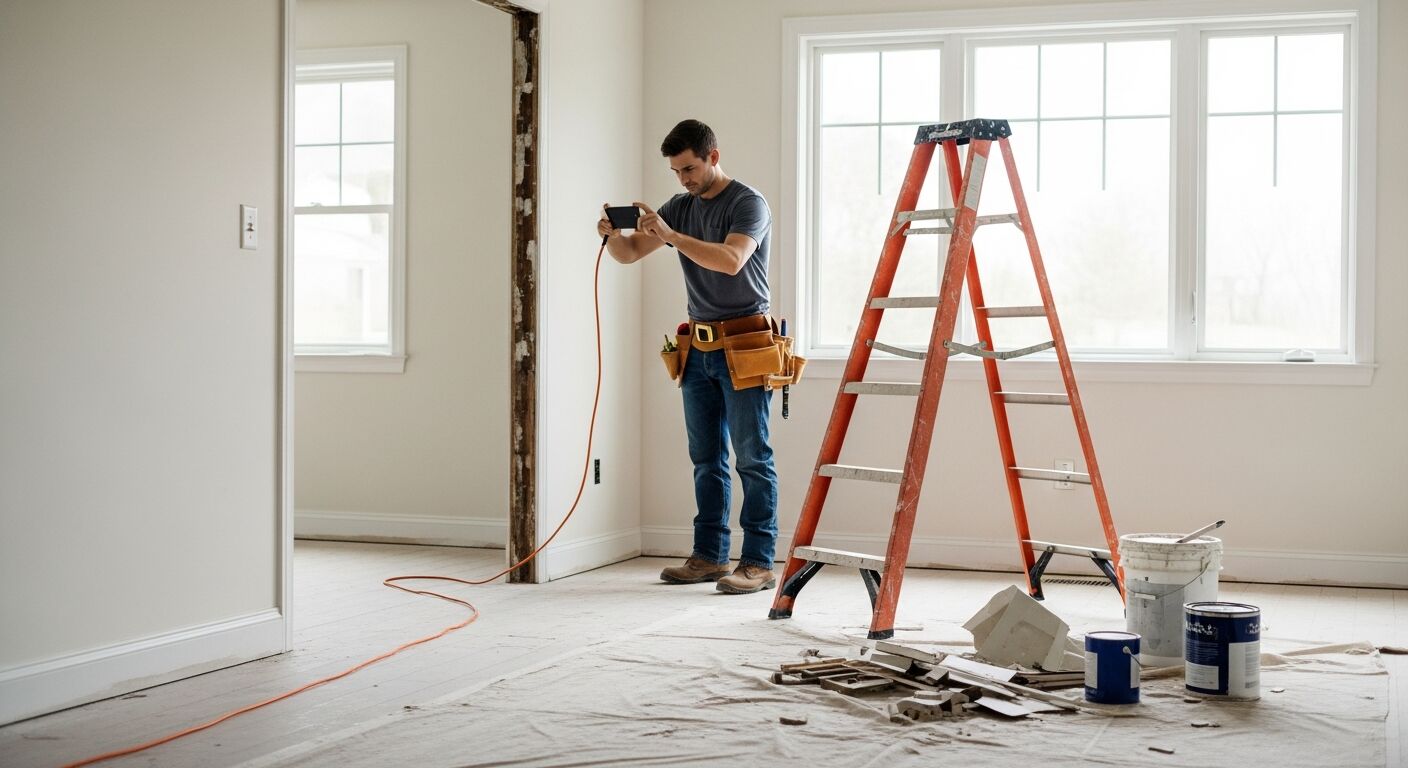
Most safety software is designed for a desk: long forms, dropdown menus, and a keyboard. The person who needs it most — the foreman at an unprotected edge, the shift lead next to an unguarded machine, the warehouse supervisor whose aisle filled up during the shift — is on their feet, moving fast, with a phone in their pocket and no time to log into a portal.
A mobile-first OSHA compliance app reverses this. The input is a photo. The supervisor snaps a picture of the work area, the AI reads it and returns findings in seconds, and the compliance record is done before they have taken three steps. No form. No template. No laptop waiting back at the office. Just a phone, a photo, and a report.
OSHA Scan works entirely from a phone camera. Every scan runs the same AI analysis regardless of industry: visible hazards are flagged, the OSHA standard each may relate to is cited, a corrective action is suggested, and the area is scored from 0 to 100. A supervisor verifies findings on the floor, assigns corrective actions to team members, and exports a dated PDF or Excel report — all from the same device they used to take the photo.
The standard for a field-ready compliance app is that anyone on site can use it correctly the first time without training. That means the input is a camera — not a form — and the output is immediate. OSHA Scan meets that bar: photograph a work area and the report is ready in about 15 seconds. The findings include the OSHA standard family each hazard may relate to, a severity rating, why it matters, and a suggested corrective action. A person confirms or dismisses each finding on the floor, and the verified record is the inspection.
Apps that require filling out rows and columns before you can see a finding have the logic backwards. The form should be the output, not the input — generated from what the camera captured, not from what the inspector could remember to type. That distinction is why photo-first apps are easier to stick with: filling out a form at the end of a shift is easy to skip; taking a photo of the work area before walking away from it is not.
OSHA enforcement is not abstract. Fall protection, hazard communication, and machine guarding appear year after year on OSHA's own published list of frequently cited standards, and a citation is only the start — the real cost shows up in stopped work, retraining, higher experience-modification rates, and the loss of jobs you no longer qualify to bid. An OSHA compliance app does not make any of that go away, but it changes what you can show: instead of insisting the area was fine, you have dated, scored photos of the area before, during, and after a fix. A record that a hazard was found and closed is a very different conversation than a record that nothing was ever looked at.
General contractors and insurers ask for that record directly. GC prequalification packets increasingly want to see an active inspection program — not a policy binder, but evidence that someone actually walks the work and documents it. Insurers underwriting a contractor want the same proof, because they want evidence that hazards are being found and fixed before they turn into losses. An OSHA compliance app that exports a clean PDF or Excel report per area gives you the artifact these audiences ask for, generated as a by-product of the daily walk rather than assembled the week before a renewal.
None of this is a compliance guarantee. A scan is an AI-assisted preliminary review, its 0-100 score is not an official OSHA determination, and OSHA Scan is not affiliated with OSHA. What the app provides is a documented, verifiable trail — the kind of proactive hazard identification OSHA's own recommended practices describe — that a person on the floor stands behind before it becomes the record.
Small crews are exactly where a photo-first OSHA compliance app earns its place, because they rarely have a full-time safety manager and cannot afford a foreman spending an hour a day on paperwork. The rollout that sticks is deliberately small: pick one recurring moment — task start, shift start, or crew arrival — and make a single photo-scan of the work area the first step. One habit, one photo, one report, tied to something the crew already does every day.
Keep the framing tight and the ownership clear. One photo per zone reads better than a wide shot of the whole site, and every accepted finding should get an owner and a due date before anyone leaves the area, so 'we knew about that' never turns into a liability. Because the whole loop runs from a phone with no account needed for the first scan and results in about 15 seconds, the crew feels the payoff immediately rather than being asked to trust a system that slows them down.
Expand only once the habit holds. Add a second scanned area, then a weekly re-scan to close corrective actions with an after-photo, then a free account to save history and export PDF and Excel reports for the GC or insurer. The goal is not to audit everything on day one — it is to build a record that compounds, so that by the time someone asks for proof of your safety program, the answer is a filtered export instead of a scramble.
Run through these steps before crews start — each one covers a visible gap the AI can help you catch.
Open OSHA Scan in any modern mobile browser on an iPhone, Android, or tablet. There is nothing to install and no account needed for your first scan — get to the camera before you walk into the work area.
Point the camera at a single zone — one machine, one aisle bay, one roof section — and include the surrounding context, such as the guard, the footing, or the walkway a cord crosses. A tight frame produces clearer findings than a wide shot of the whole site.
Capture the photo and let the AI analyze it. In about 15 seconds you get visible hazards, a severity rating, the OSHA standard family each may relate to (29 CFR 1926 or 1910), a suggested corrective action, and a 0-100 area compliance score.
Confirm each generated finding at the location — or dismiss it with a reason — before it becomes the record, since findings are AI drafts. Assign every accepted finding an owner and a due date so it can be tracked to closure.
Photograph any work area and upload it to OSHA Scan to see your compliance score and hazard count free, with no account needed. A free account unlocks the full report with OSHA standard references and corrective actions plus PDF and Excel export.
Scan, findings, corrective actions, report — all from a phone, in about 15 seconds.
Photograph a construction site, factory floor, warehouse, or clinic from any smartphone — no special hardware, no setup, no account needed for the first scan.
Computer vision identifies visible hazards, rates each by severity, and references the OSHA standard it may relate to — all before you pocket the phone.
Accepted findings become live corrective-action checklist items with owners and due dates — trackable to closure from the same mobile interface.
Every scan exports as a branded PDF or Excel report — dated, scored, and formatted for GC prequalification, insurer audits, or management review.
Scan a photo like the one above and this is the report you get — score, findings, OSHA references, and fixes. It is an illustrative example, clearly marked — not live scan data.
Compliance score
55
Lower means more potential hazards found
5 potential hazards found
1Unprotected roof edge — no guardrail, safety net, or personal fall arrest visible
CriticalPossibly related to fall protection requirements for roofing work (29 CFR 1926.502)
Observed condition: An unguarded roof edge is OSHA's most-cited hazard category — a single misstep can be fatal. Every exposed roof edge requires a compliant fall protection system before workers approach.
Corrective action: Stop work at the unprotected edge immediately; install compliant guardrails, safety nets, or have workers don properly anchored personal fall arrest systems before resuming.
High confidence
2Extension cord damaged — visible jacket split exposing conductors
HighPossibly related to electrical safety and cord condition requirements (29 CFR 1926.405)
Observed condition: An exposed conductor is a shock and fire ignition risk wherever it contacts a person or flammable material — damaged cords must be removed from service immediately.
Corrective action: Remove the cord from service now; tag it for disposal; replace with a rated cord in good condition and route it to avoid foot traffic or vehicle crossings.
High confidence
Upload a photo like the one above and get a compliance score and hazard count in seconds. No account needed to scan — create a free account to unlock the full report.
Use the real site or facility name. If you save the scan after signup, it becomes the report name.
Three angles, one deeper scan
Only the wide shot is required — every extra angle gives the AI more places to look.
Required: Set the scene — one wide shot lets the AI sweep the whole area at once
Stand at the entry point and capture corner to corner: floors, ladders, scaffolds, and everyone at work
Drop a job-site photo or walkthrough video
Click to upload, drag & drop, or snap a photo on site. Photos scan free in about 15 seconds — no signup, no card. Video walkthroughs (up to 3 min) run on a free account.
Small habits, sharper scans
Set the scene
Start with context
Fill the frame
2–3 ft for close-ups; keep ladders, cords and workers fully in view.
Capture clearly
Make the frame usable
Light it right
Keep the sun or lights behind you — glare and shadows hide hazards.
Tap to focus
Tap the hazard on screen and hold still one second — blur can't be flagged.
Choose the useful view
Give the AI room to understand
Go landscape
Turn your phone sideways — a wider frame catches more of the scene.
Only upload photos you have permission to use, and avoid images showing personal, customer, or confidential information. Demo photos and results are held privately for up to 48 hours so you can save them to a free account; unclaimed photos are deleted automatically. Results are an AI-assisted preliminary review, not an official OSHA determination.
New: Video walkthrough scans
Record up to 3 minutes of your site — the AI extracts frames and flags every hazard with exact timestamps. Free account required.
Get the best results
Wide shot first
Stand at the entrance and photograph the entire work area so AI sees the full context
Hazard areas
Photograph elevated surfaces, equipment, electrical panels, and anywhere workers are active
Close-ups last
Move in close on anything damaged, missing, or that looks risky — the AI catches more detail
How to get the most out of mobile compliance scanning on site. First four points free; a free account unlocks the rest.
Scan before you start, not after something goes wrong
The most valuable scan is the one that catches a hazard before the crew moves in. Make one photo-scan of the work area the first step of every task, shift start, or crew arrival — not a response to a near-miss.
One photo per zone, not one photo of everything
A wide shot of the whole site buries findings and prevents trend tracking. Photograph one machine, one aisle bay, one roof section — the tighter the frame, the clearer the findings.
Frame the hazard with its context
The machine AND its guard, the ladder AND its footing, the cord AND the walkway it crosses — the AI reads relationships between objects, so the relevant surroundings must be in frame.
Verify every finding on the floor before accepting it
Generated findings are AI drafts. A person confirms each one at the location — or dismisses it with a reason — and that step is what makes the mobile record legally defensible.
OSHA Scan reads a single photo. That makes it fast and easy for anyone on site — but it also means it has real limits. Here's an honest look at both.
A scan is a fast first look, not the final word. Before treating this kind of area as safe, a competent person should still confirm:
An OSHA compliance app helps workers and supervisors identify visible safety hazards, document corrective actions, and produce compliance reports — all from a mobile device on site. OSHA Scan works from a photo: photograph a work area, and the AI returns hazards, OSHA standard references, corrective actions, and a 0-100 compliance score in about 15 seconds. No form required.
Yes. OSHA Scan runs in any modern mobile browser — iPhone, Android, or tablet. There is no app to install; open the site, take or upload a photo, and get results in seconds. A free account saves your scan history and lets you export PDF and Excel reports.
OSHA Scan reliably surfaces visible hazards for review — unprotected edges, missing guards, PPE gaps, blocked exits, and more. Every finding is a draft that a person confirms on the floor before it becomes the record. That verification step is built into the workflow and is what makes the output defensible.
The AI covers common construction (29 CFR 1926) and general industry (29 CFR 1910) standards — fall protection, machine guarding, lockout/tagout, hazard communication, electrical safety, powered industrial trucks, exit routes, PPE, and more. Every finding is referenced to the standard family it may relate to.
OSHA Scan requires a connection to run the AI analysis. Take the photo offline if needed, then upload when signal is available. The scan typically takes under 15 seconds once connected.
Yes — you can run a scan with no account and see the compliance score and hazard count. A free account unlocks the full report with OSHA standard references and corrective actions, 5 included site scans plus a 10-scan signup bonus, and PDF and Excel export. Paid plans add unlimited scans, team access, and multi-site dashboards.
Yes. A free account works for a single user, and paid plans add team access with roles, shared scan history, and a multi-site dashboard that rolls up scores across locations. Supervisors scan their own areas from their own phones, and a safety manager reviews everything from one place — no one has to be back at the office to see the record.
Form-based apps make the checklist the input: you tap through rows and dropdowns before you see anything, and the report reflects what you remembered to enter. OSHA Scan makes the photo the input and the report the output — the AI reads the work area and drafts the findings, so a scan takes seconds instead of minutes. A person still verifies each finding on the floor either way; the difference is how much typing stands between the hazard and the record.
There is nothing to install and no template to configure, so most crews are scanning the same day. Open the site in a phone browser, take a photo, and read the findings — the workflow is close enough to using a camera that training is mostly a matter of showing people to frame one zone at a time and to verify findings before accepting them.
It reads only what is visible in the photo. It cannot measure exact distances or angles, detect atmospheric hazards like gas or dust, confirm equipment certifications or permits, or see conditions outside the frame or behind stored materials. It is an AI-assisted preliminary review — a second set of eyes whose findings are drafts a person verifies on site — not a substitute for a qualified safety professional or a formal OSHA inspection. OSHA Scan is not affiliated with OSHA.
Reviewed by OSHA Scan Editorial
Last updated August 29, 2026
This content is produced by the OSHA Scan Editorial team and reviewed with AI assistance. It is general safety information, not legal or compliance advice. OSHA Scan is an independent tool and is not affiliated with, endorsed by, or certified by OSHA or the U.S. Department of Labor.
Free PDF checklist
33 critical checks across 7 categories — the same visible gaps the AI scanner looks for. Sent to your inbox as a free PDF.
More ways to see what an AI OSHA scan can do for your site.
The overview hub — how the scanner works and every job, site, and hazard it covers.
The full software overview — inspection workflow, report format, and multi-site dashboard.
Every industry and hazard category the scanner covers, from construction to healthcare.
How photo-based inspection works on active construction and industrial job sites.
The technical overview of AI hazard detection — what the model reads and how findings are generated.
The find-fix-prove loop from a single crew to enterprise — how scans become a managed corrective-action program.
A buyer's guide to picking an OSHA compliance tool — the criteria to test before you commit.
See a complete labelled example of everything a scan returns.
Start with 5 included AI site scans plus a one-time 10-scan signup bonus — no credit card. Build JHA-ready reports and catch changing conditions sooner.
Start your free trial