
1
Set the scene
Start with context
Fill the frame
2–3 ft for close-ups; keep ladders, cords and workers fully in view.
There is no single 'best' OSHA compliance tool — the right one depends on your crew size, how you actually work, and what you can afford to keep paying for. This buyer's guide skips the star ratings and gives you the criteria that separate a tool you'll still use in six months from shelfware: how fast it turns a real jobsite condition into an actionable record, whether it produces photo evidence you can defend, whether pricing is transparent and free of per-seat lock-in, and whether it runs where your team already is. OSHA Scan is a browser-based tool that analyzes uploaded jobsite photos with AI and returns a hazard report — each visible finding with the OSHA standard it may relate to and a suggested fix. It fits some of these criteria well and is honestly wrong for others; this page tells you which is which so you can decide. You can try a demo scan free, no account.
Free · No account needed to scan · Results in seconds
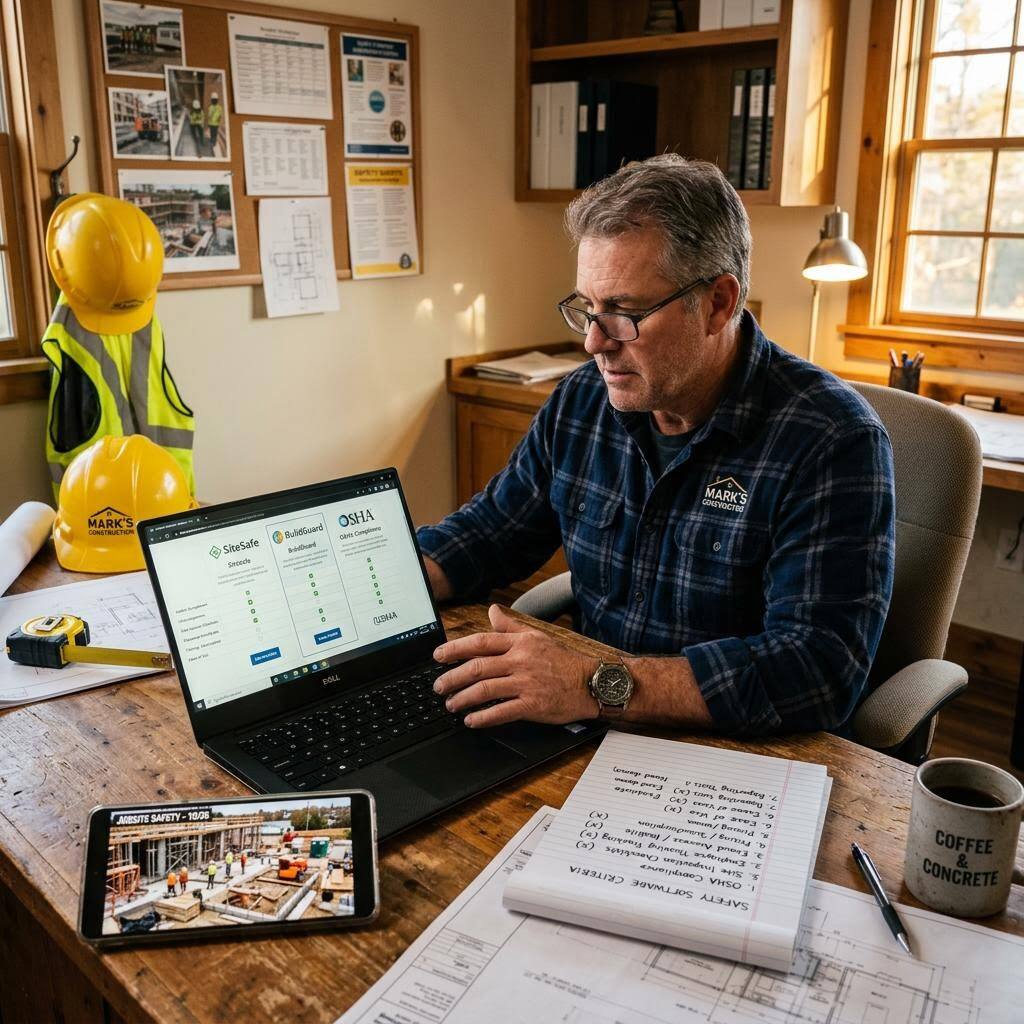
Every 'best safety software' list is someone's opinion, and most are affiliate pages that rank tools by who pays the most for placement. We won't do that here, and we won't tell you OSHA Scan is the best — the honest answer is that the best OSHA compliance tool is the one your foremen will actually open on a Tuesday. A brilliant platform nobody logs into is worse than a simple one everybody uses. So evaluate the tool against how your team really works, not against a feature-count spreadsheet.
Start by naming the job you're hiring the tool to do. Are you trying to document conditions before work starts, close corrective actions with a paper trail, manage recordable injuries and OSHA 300 logs, run scheduled audits across many sites, or build a full EHS program of record? Those are different products. A photo-first hazard-spotting tool and an enterprise incident-management suite both call themselves 'OSHA compliance software,' and buying the wrong category is the most expensive mistake — you either overpay for modules nobody touches or you outgrow a tool that can't do what you now need.
Then test the criteria that predict long-term use: time-to-report (how many minutes from noticing a hazard to having a shareable record), photo evidence (does it produce a dated, annotated artifact you could hand to a GC or keep in a file), price transparency (can you see what you'll pay without a sales call, and does cost scale with usage rather than per-seat headcount), and reach (does it run where your crew already is — a phone browser on the deck — or does it demand an install and a login your part-time labor won't complete). Run a real photo or a real audit through any tool you're considering before you sign anything.
Ease of use comes first because adoption is the whole game. Count the taps from opening the tool to producing something useful. If a laborer needs training to file a finding, the finding won't get filed. Photo evidence is second: OSHA citations turn on documented conditions, and 'we talked about it' is not a record. A tool that produces a dated, annotated artifact — with the hazard, the standard it may relate to, and the fix — gives you something to defend a decision with and something to prove you corrected. Time-to-report is third, and it's the criterion most demos hide: measure the minutes from the deck to a shareable report, not the number of features on the pricing page.
Price transparency is fourth. If you can't see what you'll pay without booking a call, treat that as a data point about the whole relationship. Prefer usage-based or pay-as-you-go pricing over per-seat licensing when your headcount swings with the job — per-seat lock-in punishes exactly the seasonal, high-turnover crews that construction runs on. Browser-based access is fifth: a tool that runs in a phone browser meets your crew where they are; one that requires an app-store install and an account creates a wall between a hazard and its record. Depth of scope is sixth and it cuts both ways — more modules mean more capability and more cost, complexity, and rollout risk. Match scope to the job you named, not to the longest feature list.
Pick two or three tools that plausibly fit the category you need and give each the same real test. Take one photo of an actual condition on your site — a cluttered walkway, a ladder setup, a panel — and run it, or upload one recent audit, and time the whole loop end to end. Note where each tool required an install, an account, or a card before it would show you anything, and note whether the output was something you'd actually keep in a file.
Then hand it to a foreman for a day, not a safety manager. The safety manager will make any tool work; the foreman is the one whose habits decide whether the tool survives. Ask one question afterward: would you open this without being told to? If the answer is no, the feature list doesn't matter. Cheaper tools that get used beat expensive tools that don't, every time — and a free trial that shows real output before you pay is the fastest way to find out which is which.
Be skeptical of any tool that markets itself as 'OSHA-approved' or 'OSHA-certified.' OSHA does not endorse, approve, or certify commercial compliance software, and it publishes many of its own guidance materials and templates for free. OSHA Scan is not affiliated with OSHA; the standard references in its reports are best-effort pointers phrased as possibilities, not compliance verdicts. Any tool implying an official OSHA seal of approval is telling you something about its honesty, and honesty is a criterion too.
The same goes for star ratings and review counts pasted onto a landing page. They're trivial to inflate and impossible to verify from the outside. Weigh a free hands-on trial with your own photos far more heavily than any number a vendor prints about itself. What the tool does with your actual site in five minutes tells you more than a thousand claimed five-star reviews.
Run through these steps before crews start — each one covers a visible gap the AI can help you catch.
Write down whether you need pre-task hazard spotting, corrective-action tracking, OSHA 300-log management, scheduled audits, or a full EHS program of record. This names the product category and eliminates most tools before you demo anything.
Pick candidates that plausibly fit the job you named. Skip 'best safety software' affiliate lists and any tool that claims to be OSHA-approved. Prefer ones that let you try real output before paying.
Take one photo of an actual condition on your site, or one recent audit, and run it through every tool. Time the loop from start to a shareable, dated record, and save each output to compare the evidence quality side by side.
Rate ease of use, photo evidence, time-to-report, price transparency, no per-seat lock-in, and browser access. Then hand the front-runner to a foreman for a day and ask whether they'd open it without being told to.
Calculate total cost at your real usage over a year, confirm you can export your reports and take your records if you leave, and check the pricing is transparent and scales with usage rather than headcount.
Score any tool you're considering — including this one — against these. The winner is the one that fits how your crew actually works.
Minutes from noticing a hazard to a shareable, dated record. Demos hide this; time it yourself on a real condition.
A dated, annotated artifact — hazard, the standard it may relate to, and the fix — that you could hand to a GC or keep in a file.
Can you see the price without a sales call? Does cost scale with usage rather than punishing you per seat as crews swing?
A phone browser on the deck beats a required app-store install and a login your part-time labor won't finish.
Scan a photo like the one above and this is the report you get — score, findings, OSHA references, and fixes. It is an illustrative example, clearly marked — not live scan data.
Compliance score
68
Lower means more potential hazards found
6 potential hazards found
1Extension cord run across a main walkway with no cover or elevation
MediumPossibly related to walking-working surface housekeeping (29 CFR 1926.25)
Observed condition: A cord across a traffic path is the trip hazard evaluators use to test time-to-report because everyone recognizes it — how fast a tool turns this into a dated record tells you how it will perform on the findings that are harder to spot.
Corrective action: Route the cord overhead or along the wall, or cover it with a rated cord protector; add the walkway to the daily pre-task check.
High confidence
2Portable ladder set up at an over-steep angle against a wall
HighPossibly related to portable ladder requirements (29 CFR 1926.1053)
Observed condition: Ladder setup is a good stress test for a tool's photo evidence: a defensible record should name the specific condition and the standard it may relate to, not just say 'ladder hazard' — vague output is a sign the tool won't hold up in a file.
Corrective action: Reset the ladder to roughly a 4:1 pitch, secure or foot it, and confirm it extends the required distance above the landing before use.
Medium confidenceNot fully clear from the photo — verify on site.
3Small housekeeping debris pile near a partially blocked doorway
LowPossibly related to exit access and housekeeping (29 CFR 1926.25)
Observed condition: Low-severity findings test whether a tool scores proportionately — a tool that flags everything as critical is as useless during an evaluation as one that misses hazards, because you can't triage its output.
Corrective action: Clear the debris and keep the door swing and access path unobstructed; assign a daily sweep to keep the area clear.
Medium confidenceNot fully clear from the photo — verify on site.
Upload a photo like the one above and get a compliance score and hazard count in seconds. No account needed to scan — create a free account to unlock the full report.
Use the real site or facility name. If you save the scan after signup, it becomes the report name.
Three angles, one deeper scan
Only the wide shot is required — every extra angle gives the AI more places to look.
Required: Set the scene — one wide shot lets the AI sweep the whole area at once
Stand at the entry point and capture corner to corner: floors, ladders, scaffolds, and everyone at work
Drop a job-site photo or walkthrough video
Click to upload, drag & drop, or snap a photo on site. Photos scan free in about 15 seconds — no signup, no card. Video walkthroughs (up to 3 min) run on a free account.
Small habits, sharper scans
Set the scene
Start with context
Fill the frame
2–3 ft for close-ups; keep ladders, cords and workers fully in view.
Capture clearly
Make the frame usable
Light it right
Keep the sun or lights behind you — glare and shadows hide hazards.
Tap to focus
Tap the hazard on screen and hold still one second — blur can't be flagged.
Choose the useful view
Give the AI room to understand
Go landscape
Turn your phone sideways — a wider frame catches more of the scene.
Only upload photos you have permission to use, and avoid images showing personal, customer, or confidential information. Demo photos and results are held privately for up to 48 hours so you can save them to a free account; unclaimed photos are deleted automatically. Results are an AI-assisted preliminary review, not an official OSHA determination.
New: Video walkthrough scans
Record up to 3 minutes of your site — the AI extracts frames and flags every hazard with exact timestamps. Free account required.
Get the best results
Wide shot first
Stand at the entrance and photograph the entire work area so AI sees the full context
Hazard areas
Photograph elevated surfaces, equipment, electrical panels, and anywhere workers are active
Close-ups last
Move in close on anything damaged, missing, or that looks risky — the AI catches more detail
Work through this before you sign anything. The first few points are free — create a free account to unlock the full checklist and score your shortlist.
Name the job before you shop
Write down the one thing you need the tool to do — pre-task hazard spotting, corrective-action tracking, 300-log management, or a full EHS program. That names the category and rules out most tools instantly.
Time the report loop on a real condition
Run a real photo or a real audit through each candidate and time it from start to shareable record. Time-to-report predicts adoption better than any feature count.
Demand a defensible photo artifact
Check that the output is dated, names the specific condition and the standard it may relate to, and could be handed to a GC or kept in a file — not just a checkbox marked 'done.'
Read the pricing page, not the sales deck
If you can't see what you'll pay without a call, note that. Prefer usage-based or pay-as-you-go pricing over per-seat licensing if your headcount swings with the job.
OSHA Scan reads a single photo. That makes it fast and easy for anyone on site — but it also means it has real limits. Here's an honest look at both.
A scan is a fast first look, not the final word. Before treating this kind of area as safe, a competent person should still confirm:
There isn't a single best one, and any page claiming otherwise is usually ranking by ad spend. The best tool for you is the one your crew will actually use to produce defensible records at a price that scales with how you work. Evaluate candidates on time-to-report, photo evidence, price transparency, no per-seat lock-in, and whether they run in a browser — then run a real photo or audit through each before you decide.
Name the job first — pre-task hazard spotting, corrective-action tracking, 300-log management, or a full EHS program are different products. Then give two or three candidates the same real test: run one actual photo or audit through each, time the report loop, check the output is a defensible dated artifact, and hand it to a foreman for a day. Weight that hands-on result far above star ratings or feature counts.
It ranges widely — from free tools and OSHA's own free templates and guidance up to enterprise EHS suites priced per seat with annual contracts. When comparing, prefer transparent, usage-based pricing you can see without a sales call, and calculate total cost at your real usage over a full year rather than trusting the headline number. OSHA Scan offers a free demo scan, a free account with a set number of scans, and paid scan packages billed monthly or annually; paid checkout is on a waitlist while it rolls out.
We won't claim that — it depends on your needs. OSHA Scan fits some criteria well: it's fast from photo to report, runs in a browser with no install, produces a dated evidence artifact with possible OSHA references, and offers a free demo. It's a poor fit for others: it doesn't manage incidents, OSHA 300 logs, or scheduled multi-site audits, and it has no offline mode. Match it against the criteria above and decide for yourself.
Large enterprises that need a full EHS suite — incident management, recordable-injury and OSHA 300-log workflows, scheduled audits across many sites, or deep integrations — should look at platforms built for that. Teams that need to work offline in areas with no signal are also a poor fit, because OSHA Scan is a browser tool that analyzes uploaded photos on demand and needs a connection. It's built for fast, photo-first hazard spotting, not as a system of record.
No — treat that claim as a red flag. OSHA does not endorse, approve, or certify commercial compliance software, so 'OSHA-approved' or 'OSHA-certified' is marketing, not fact. OSHA also publishes a lot of its own guidance and templates for free. Judge a tool by what it actually produces in a hands-on trial with your own photos, not by badges or self-reported ratings.
Reviewed by OSHA Scan Editorial
Last updated August 29, 2026
This content is produced by the OSHA Scan Editorial team and reviewed with AI assistance. It is general safety information, not legal or compliance advice. OSHA Scan is an independent tool and is not affiliated with, endorsed by, or certified by OSHA or the U.S. Department of Labor.
Free PDF checklist
33 critical checks across 7 categories — the same visible gaps the AI scanner looks for. Sent to your inbox as a free PDF.
More ways to see what an AI OSHA scan can do for your site.
The overview hub — how the scanner works and every job, site, and hazard it covers.
What photo-first compliance software does and where it fits.
How AI photo analysis assists — and doesn't replace — a competent person.
The broader category and how a photo tool sits inside it.
The inspection workflow behind the photo-to-report loop.
How the 0-100 score you'd use to compare tools is generated.
The photo-first method to test any tool's time-to-report against.
OSHA's own free guidance on building a safety program — a baseline to weigh any commercial tool against.
Official resource — osha.govSee a complete labelled example of everything a scan returns.
Start with 5 included AI site scans plus a one-time 10-scan signup bonus — no credit card. Build JHA-ready reports and catch changing conditions sooner.
Start your free trial