
1
Set the scene
Start with context
Fill the frame
2–3 ft for close-ups; keep ladders, cords and workers fully in view.
Every chemical on site needs a data sheet within reach
When a worker is splashed, overcome by fumes, or starts a chemical fire, the safety data sheet is what tells responders how to help — first aid, fire suppression, and exposure limits are all there. A missing SDS turns a manageable incident into guesswork. OSHA Scan reviews job-site and storage photos to flag chemical containers with no accessible data sheet and reminds you which HazCom records are required.
Free · No account needed to scan · Results in seconds
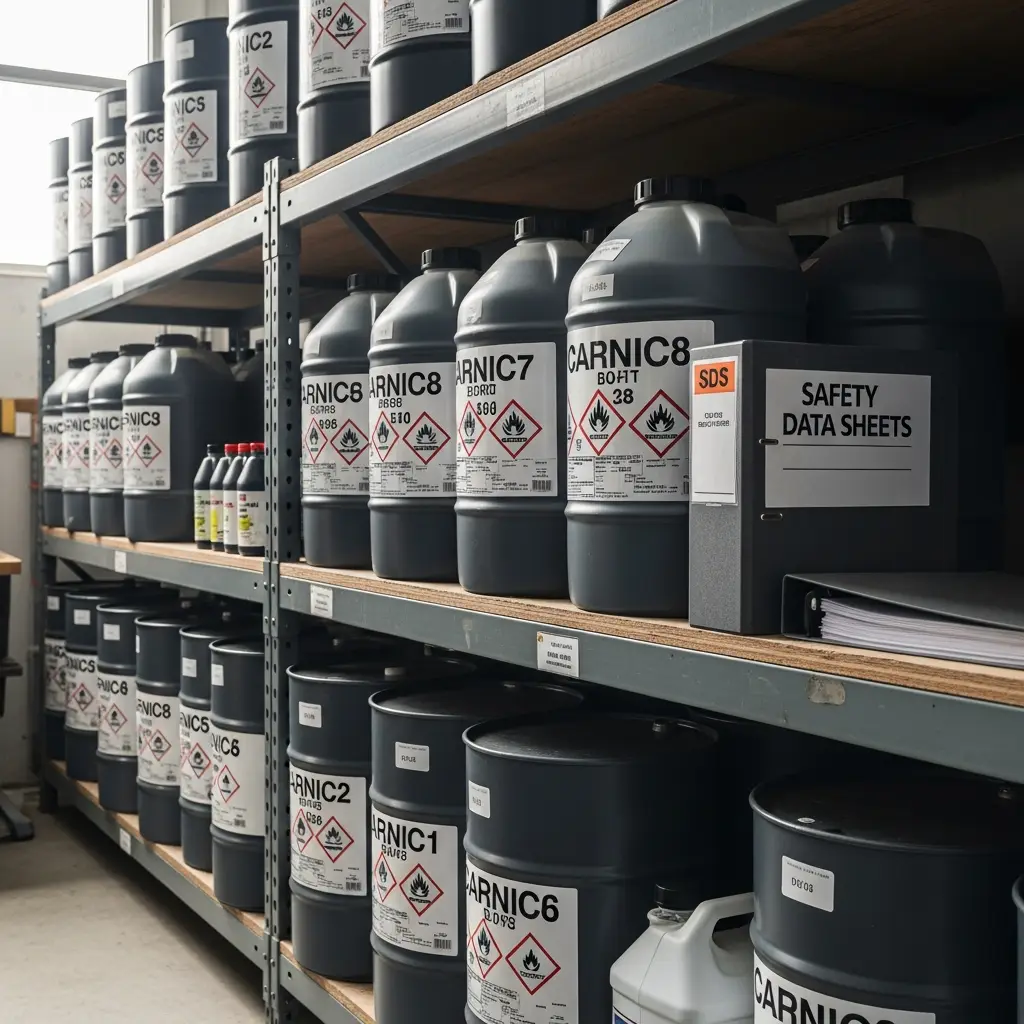
May relate to 29 CFR 1910.1200(g)
HazCom is OSHA's second most-cited standard
Per serious HazCom violation
Required sections in every GHS SDS
Typical time to get scan results
A missing safety data sheet means a hazardous chemical is in use or storage on site with no readily accessible document describing its hazards, safe handling, first aid, and emergency response. Under the Hazard Communication Standard every chemical must have a current 16-section GHS-format SDS that employees can reach during their shift without leaving the work area.
In practice this shows up as a supply cabinet full of solvents, adhesives, and fuels with an SDS binder that is out of date, locked in a trailer, or simply never assembled. It also appears when a new product is delivered and put straight into service before its data sheet is filed, or when the binder exists but no one on the crew knows where it is.
The danger is invisible until the moment it matters. A worker who inhales vapors or gets a chemical in their eyes needs specific first aid within seconds, and responders need to know what they are dealing with. Without the SDS, the crew is improvising during the exact emergency the document was written to manage — which is why photo-based review of storage areas is so valuable.
Here is what an OSHA Scan report looks like for missing safety data sheet. It is an illustrative example built from this scenario's hazards — clearly marked, not live scan data.
Compliance score
41
Lower means more potential hazards found
3 potential hazards found
Missing Safety Data Sheet
CriticalPossibly related to Safety data sheets (29 CFR 1910.1200(g))
Observed condition: A missing safety data sheet means a hazardous chemical is in use or storage on site with no readily accessible document describing its hazards, safe handling, first aid, and emerg…
Corrective action: Post a clearly marked SDS station within the immediate work area, not a distant office
High confidence
Missing Safety Data Sheet: Written hazard communication program
HighPossibly related to Written hazard communication program (29 CFR 1910.1200(e))
Observed condition: Requires a written HazCom program that includes a chemical inventory, labeling procedures, and how SDSs are maintained and made available to employees.
Corrective action: Provide an electronic SDS system accessible offline in case of network or power loss
Medium confidenceNot fully clear from the photo — verify on site.
Missing Safety Data Sheet: Employee information and training
MediumPossibly related to Employee information and training (29 CFR 1910.1200(h))
Observed condition: Requires employees to be trained on the hazards of chemicals in their area and on how to access and interpret labels and safety data sheets.
Corrective action: Store chemicals in labeled, organized cabinets that match the SDS index
High confidence
Without an SDS, a chemical splash, inhalation, or fire is handled by guesswork. Wrong first aid can worsen a burn or exposure, and responders lose critical minutes identifying the substance.
Hazard Communication is consistently OSHA's second most-cited standard. Missing or inaccessible SDSs draw serious citations exceeding $16,000 each, and willful violations climb past $165,000.
An SDS gap during an inspection can shut down chemical work, trigger a full HazCom program audit, and expose weak recordkeeping across every product on site.
Construction, manufacturing, painting, and facility maintenance crews handle dozens of products from many suppliers, making it easy for a single new or substituted chemical to slip in without its data sheet.
OSHA Scan uses an AI vision model to review your photos and flag products that appear on site. It reads visible GHS labels, identifies containers that look hazardous, and prompts you to confirm an accessible, current SDS exists for each one — citing 29 CFR 1910.1200 and highlighting gaps in your documentation before an inspector or an emergency finds them first.
Analyze your first photo freeUpload a real job-site photo and OSHA Scan detects visible hazards in seconds — no account needed to run your first scan.
Use the real site or facility name. If you save the scan after signup, it becomes the report name.
Three angles, one deeper scan
Only the wide shot is required — every extra angle gives the AI more places to look.
Required: Set the scene — one wide shot lets the AI sweep the whole area at once
Stand at the entry point and capture corner to corner: floors, ladders, scaffolds, and everyone at work
Drop a job-site photo or walkthrough video
Click to upload, drag & drop, or snap a photo on site. Photos scan free in about 15 seconds — no signup, no card. Video walkthroughs (up to 3 min) run on a free account.
Small habits, sharper scans
Set the scene
Start with context
Fill the frame
2–3 ft for close-ups; keep ladders, cords and workers fully in view.
Capture clearly
Make the frame usable
Light it right
Keep the sun or lights behind you — glare and shadows hide hazards.
Tap to focus
Tap the hazard on screen and hold still one second — blur can't be flagged.
Choose the useful view
Give the AI room to understand
Go landscape
Turn your phone sideways — a wider frame catches more of the scene.
Only upload photos you have permission to use, and avoid images showing personal, customer, or confidential information. Demo photos and results are held privately for up to 48 hours so you can save them to a free account; unclaimed photos are deleted automatically. Results are an AI-assisted preliminary review, not an official OSHA determination.
New: Video walkthrough scans
Record up to 3 minutes of your site — the AI extracts frames and flags every hazard with exact timestamps. Free account required.
Get the best results
Wide shot first
Stand at the entrance and photograph the entire work area so AI sees the full context
Hazard areas
Photograph elevated surfaces, equipment, electrical panels, and anywhere workers are active
Close-ups last
Move in close on anything damaged, missing, or that looks risky — the AI catches more detail
A finishing crew ran out of their usual degreaser and a supervisor bought a different, stronger solvent from a local supplier to keep the job moving. The product went straight into service in a poorly ventilated back room.
No SDS was obtained for the substitute. When a worker began feeling dizzy and nauseous, the crew did not know the product contained a solvent requiring far more ventilation and specific respiratory protection. First aid was delayed while someone searched online for the correct response.
A photo of the storage shelf run through OSHA Scan would have flagged the unfamiliar container, prompted the team to confirm an accessible SDS under 29 CFR 1910.1200, and surfaced the ventilation and PPE requirements before the product was ever opened.
Chemical substitutions are the most common way SDS gaps appear. Any new or replacement product must have its data sheet filed and accessible before it is used, and a quick photo audit of storage areas catches the ones that slip through.
Layered controls, from most to least effective.
Make hazard information physically part of the work area so it cannot be lost.
Keep the SDS library complete, current, and known to every worker.
Use the SDS to select the right protection for each chemical handled.
The federal standards this hazard may relate to.
Requires employers to maintain a current safety data sheet for each hazardous chemical and ensure it is readily accessible to employees in their work area during each work shift.
Up to $16,550 per serious violation; $165,514 for willful or repeat
Requires a written HazCom program that includes a chemical inventory, labeling procedures, and how SDSs are maintained and made available to employees.
Up to $16,550 per serious violation
Requires employees to be trained on the hazards of chemicals in their area and on how to access and interpret labels and safety data sheets.
Up to $16,550 per serious violation
If an incident occurs, act fast and in order.
Workers will understand what a safety data sheet contains, how to locate one for any chemical in their area, and how to use it for safe handling and emergency response.
Train at hire and whenever a new chemical is introduced, refresh annually, and reinforce with toolbox talks that walk through a real SDS on site.
Run these checks to stay ahead of citations.
10 more checklist points are waiting. Register with your email to reveal every item and download the complete OSHA compliance checklist as a printable PDF. Free, and it only takes a few seconds.
Already have an account? Sign in
A safety data sheet is a 16-section document that describes a chemical's hazards, safe handling, first aid, and emergency response. OSHA's Hazard Communication Standard (29 CFR 1910.1200) requires one for every hazardous chemical so workers and responders can act correctly during exposure or a spill.
SDSs must be readily accessible to employees in their work area during every shift — not locked in a distant office or truck. A binder in the immediate area or an electronic system that works offline both satisfy the requirement, as long as workers can reach the sheet quickly.
Chemical manufacturers and distributors must provide an SDS with the product, and the employer must obtain, maintain, and make it accessible. If a data sheet is missing, the employer must request it from the supplier and keep the chemical out of service until it is on file.
Yes. OSHA allows electronic SDS access as long as there are no barriers to employee use, workers are trained to retrieve them, and a reliable backup exists for power or network outages. Many sites pair an electronic system with a printed emergency binder.
A serious Hazard Communication violation can exceed $16,000 per instance, and willful or repeat violations can surpass $165,000. Because HazCom is one of OSHA's most-cited standards, missing SDSs are a frequent and costly finding.
Whenever a chemical is added, substituted, or removed, and whenever a supplier issues a revised sheet. A good practice is to reconcile the SDS library against the chemical inventory monthly and audit storage areas for undocumented products.
Yes. There is no minimum-quantity exemption for hazardous chemicals in the workplace. Even a single container of solvent, adhesive, or fuel in use requires an accessible SDS under the standard.
OSHA Scan identifies chemical containers and reads visible GHS labels, then prompts you to confirm an accessible SDS exists for each product. It flags unlabeled or undocumented containers and cites 29 CFR 1910.1200 so gaps are caught during a routine photo review.
Upload a photo of your chemical storage and get instant feedback on containers missing labels or documentation in your exact environment.
Get startedPut our expert Hazard Communication checklist to work so every chemical on site has an accessible data sheet.
Get startedSee how OSHA Scan fits your chemical management program and get recommendations for your specific operation.
Get startedSee how other operations use OSHA Scan to keep their SDS libraries complete and inspection-ready.
Get startedReview findings, organize chemical records, and open relevant official resources for your saved locations and work context.
You make the final call. Review, edit, or dismiss any AI-flagged hazard before finalizing your inspection report.
Scan chemical labels or upload legacy MSDS sheets to create structured drafts that support your team's search for and review of current official manufacturer Safety Data Sheets.
Open official OSHA and State Plan guidance, required posters, emergency contacts, and relevant publications for saved locations and work requirements.
OSHA Scan reads a single photo. That makes it fast and easy for anyone on site — but it also means it has real limits. Here's an honest look at both.
Reviewed by OSHA Scan Editorial
Last updated August 29, 2026
This content is produced by the OSHA Scan Editorial team and reviewed with AI assistance. It is general safety information, not legal or compliance advice. OSHA Scan is an independent tool and is not affiliated with, endorsed by, or certified by OSHA or the U.S. Department of Labor.
Start with 5 included AI site scans plus a one-time 10-scan signup bonus — no credit card. Build JHA-ready reports and catch changing conditions sooner.
Start your free trial