
1
Set the scene
Start with context
Fill the frame
2–3 ft for close-ups; keep ladders, cords and workers fully in view.
Re-check the site before the crew re-starts
The early-afternoon dip in alertness is real, measurable, and dangerous. After lunch, reaction time slows, attention narrows, and workers return to tasks on autopilot — right when the site has changed and their guard is down. OSHA Scan lets a supervisor re-scan the work area before the crew resumes, catching the hazards that a drowsy afternoon walk-through would miss.
Free · No account needed to scan · Results in seconds
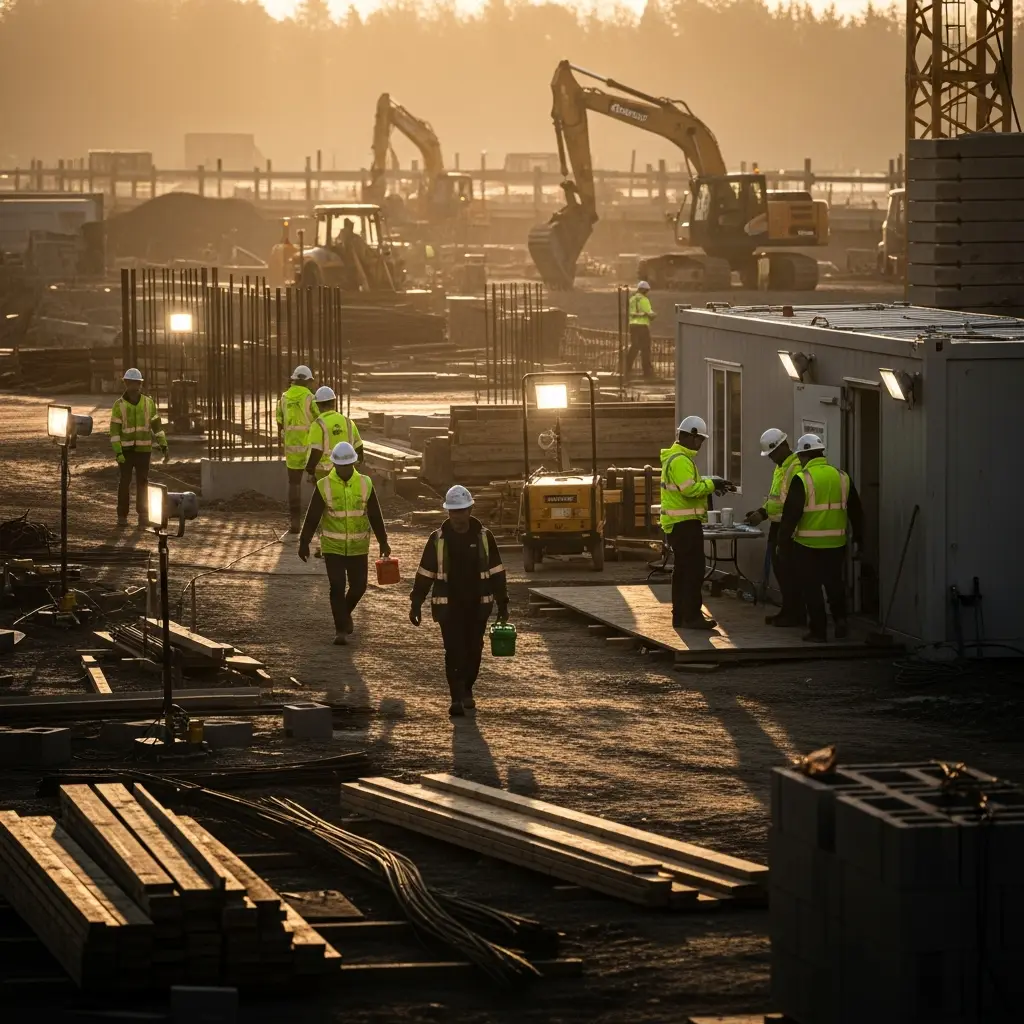
May relate to 29 CFR 1926.20
Peak of the afternoon circadian alertness dip
Higher error rate during the post-lunch window
Per serious OSHA general-duty violation
Typical time to get scan results
A post-lunch fatigue incident is any injury or near-miss that occurs during the early-afternoon window when human alertness naturally dips. It is driven by circadian biology, a heavy meal, and the accumulated fatigue of a physical morning — a combination that slows reaction time and narrows attention just as work resumes.
In practice it shows up as a worker mis-judging a step off a ladder, feeding a hand too close to a moving blade, backing into a load path they cleared hours earlier, or skipping the restart check because 'nothing changed.' The tasks are routine; the difference is that the person doing them is running at reduced capacity and the site conditions have shifted since morning.
The danger is that fatigue is invisible and self-underestimated — tired workers rarely feel unsafe. There is no alarm for a slow reaction time, so the only reliable defense is to re-verify conditions and re-focus the crew before they step back into the work. That makes a quick, objective afternoon scan more valuable than a rushed human glance.
Here is what an OSHA Scan report looks like for post-lunch fatigue incident. It is an illustrative example built from this scenario's hazards — clearly marked, not live scan data.
Compliance score
56
Lower means more potential hazards found
3 potential hazards found
Post-Lunch Fatigue Incident
CriticalPossibly related to General safety and health provisions (29 CFR 1926.20)
Observed condition: A post-lunch fatigue incident is any injury or near-miss that occurs during the early-afternoon window when human alertness naturally dips.
Corrective action: Ensure machine guards and interlocks cannot be bypassed and stay in place all day
High confidence
Post-Lunch Fatigue Incident: General requirements for all machines
HighPossibly related to General requirements for all machines (29 CFR 1910.212)
Observed condition: Requires point-of-operation guarding to protect operators, a control that fatigue-related machine incidents most often defeat when guards are bypassed.
Corrective action: Use presence-sensing devices and two-hand controls on point-of-operation tasks
Medium confidenceNot fully clear from the photo — verify on site.
Post-Lunch Fatigue Incident: General duty to provide a safe workplace
MediumPossibly related to General duty to provide a safe workplace (OSHA General Duty Clause 5(a)(1))
Observed condition: Requires employers to address recognized hazards likely to cause harm, including known worker-fatigue patterns that drive afternoon injuries.
Corrective action: Provide shaded, cooled rest areas to limit heat-driven fatigue
High confidence
Slowed reaction time turns recoverable mistakes into injuries. A half-second delay reaching for a rail, dodging a load, or pulling back from a pinch point is the difference between a stumble and a hospital visit.
OSHA's general duty and inspection obligations under 1926.20 apply all day, not just at start of shift. An employer that ignores a known afternoon injury pattern faces serious violations over $16,000 and willful exposure above $165,000.
Afternoon incidents concentrate lost-time injuries in the back half of the shift, disrupting production when the day's output is on the line and driving up experience modification rates over time.
Physically demanding trades and repetitive machine work — construction, manufacturing, and warehousing — feel the post-lunch dip hardest, especially in heat or after strenuous morning tasks.
OSHA Scan gives the afternoon restart an objective second set of eyes: a supervisor photographs the work area before the crew resumes, and the AI vision model flags conditions that changed over the break, from displaced guards and staged loads to blocked walkways and PPE lapses, each with a severity rating and the OSHA citation it may relate to. Because the analysis is machine-consistent, it does not slow down with the crew.
Analyze your first photo freeUpload a real job-site photo and OSHA Scan detects visible hazards in seconds — no account needed to run your first scan.
Use the real site or facility name. If you save the scan after signup, it becomes the report name.
Three angles, one deeper scan
Only the wide shot is required — every extra angle gives the AI more places to look.
Required: Set the scene — one wide shot lets the AI sweep the whole area at once
Stand at the entry point and capture corner to corner: floors, ladders, scaffolds, and everyone at work
Drop a job-site photo or walkthrough video
Click to upload, drag & drop, or snap a photo on site. Photos scan free in about 15 seconds — no signup, no card. Video walkthroughs (up to 3 min) run on a free account.
Small habits, sharper scans
Set the scene
Start with context
Fill the frame
2–3 ft for close-ups; keep ladders, cords and workers fully in view.
Capture clearly
Make the frame usable
Light it right
Keep the sun or lights behind you — glare and shadows hide hazards.
Tap to focus
Tap the hazard on screen and hold still one second — blur can't be flagged.
Choose the useful view
Give the AI room to understand
Go landscape
Turn your phone sideways — a wider frame catches more of the scene.
Only upload photos you have permission to use, and avoid images showing personal, customer, or confidential information. Demo photos and results are held privately for up to 48 hours so you can save them to a free account; unclaimed photos are deleted automatically. Results are an AI-assisted preliminary review, not an official OSHA determination.
New: Video walkthrough scans
Record up to 3 minutes of your site — the AI extracts frames and flags every hazard with exact timestamps. Free account required.
Get the best results
Wide shot first
Stand at the entrance and photograph the entire work area so AI sees the full context
Hazard areas
Photograph elevated surfaces, equipment, electrical panels, and anywhere workers are active
Close-ups last
Move in close on anything damaged, missing, or that looks risky — the AI catches more detail
A stamping-line operator returned from a heavy lunch and resumed feeding parts into a mechanical press. During the morning he had been alert and consistent; after the break, working on autopilot, he reached in to reposition a part without cycling the guard.
His reaction time was blunted by the post-lunch dip, and he did not pull back in time when the press cycled. He suffered a crush injury to two fingers. A guard interlock had been bypassed earlier in the day and never restored — a change the crew had normalized.
A photo scan of the press station before the afternoon restart would have flagged the bypassed guard as a critical caught-in hazard, cited 29 CFR 1910.212, and prompted the supervisor to restore the interlock and re-brief the operator before hands went near the point of operation.
Fatigue amplifies every pre-existing hazard. The afternoon is exactly when bypassed guards, changed conditions, and complacency converge, so the restart deserves the same documented check as the start of shift.
Layered controls, from most to least effective.
Reduce the reliance on human alertness during the low-energy window.
Structure the afternoon to counter the predictable alertness dip.
Confirm protective gear is worn and intact when the crew returns.
The federal standards this hazard may relate to.
Requires ongoing, frequent, and regular inspections by a competent person throughout the workday, including verifying conditions before crews resume work after breaks.
Up to $16,550 per serious violation; $165,514 for willful or repeat
Requires point-of-operation guarding to protect operators, a control that fatigue-related machine incidents most often defeat when guards are bypassed.
Up to $16,550 per serious violation
Requires employers to address recognized hazards likely to cause harm, including known worker-fatigue patterns that drive afternoon injuries.
Up to $16,550 per serious violation
If an incident occurs, act fast and in order.
Workers and supervisors will understand the afternoon alertness dip, recognize how fatigue amplifies hazards, and know how to run a restart check and adjust tasks to counter the post-lunch window.
Train the crew at onboarding, refresh annually, and reinforce daily with a documented restart scan and re-brief before work resumes after lunch.
Run these checks to stay ahead of citations.
10 more checklist points are waiting. Register with your email to reveal every item and download the complete OSHA compliance checklist as a printable PDF. Free, and it only takes a few seconds.
Already have an account? Sign in
Yes. Human alertness naturally dips in the early afternoon due to circadian rhythm, and studies consistently show elevated error and incident rates in the 2-4 PM window, compounded by physical fatigue and a heavy midday meal.
OSHA does not set a specific fatigue standard for most industries, but the General Duty Clause requires employers to address recognized hazards likely to cause harm. A known afternoon incident pattern that goes unmanaged can support a citation.
Repetitive machine feeding, work at height, equipment operation, and any task requiring fast reaction time. These amplify the consequences of the slowed reaction and narrowed attention typical of the low-alertness window.
Move the most hazardous or high-precision tasks outside the 2-4 PM window, rotate workers off monotonous jobs, and build in short recovery breaks. Reserve routine, low-risk work for the deepest part of the afternoon dip.
Conditions change during the shift — guards get bypassed, loads get staged, walkways get blocked. Combined with reduced alertness, an unverified restart is a common incident setup. A quick restart scan confirms the site is still safe.
Yes. Dehydration and heavy, high-carbohydrate meals deepen the afternoon energy dip. Crew education on lighter midday meals and consistent hydration is a low-cost way to reduce fatigue-driven errors.
A serious violation under the General Duty Clause or 1926.20 can exceed $16,000, and ignoring a documented, repeating afternoon injury trend can support willful classification with penalties above $165,000 per instance.
OSHA Scan detects afternoon-restart hazards. It flags bypassed guards, changed conditions, blocked paths, and PPE lapses with a severity rating and the specific OSHA citation.
Photograph your work area before the afternoon restart and get instant feedback on conditions that changed over the break.
Get startedPut our post-lunch restart checklist to work so the crew resumes on verified conditions instead of autopilot.
Get startedSee how OSHA Scan fits your operation and get recommendations for managing the afternoon fatigue window.
Get startedSee how other crews use OSHA Scan to close the afternoon injury window with a fast, consistent restart check.
Get startedReview findings, organize chemical records, and open relevant official resources for your saved locations and work context.
You make the final call. Review, edit, or dismiss any AI-flagged hazard before finalizing your inspection report.
Scan chemical labels or upload legacy MSDS sheets to create structured drafts that support your team's search for and review of current official manufacturer Safety Data Sheets.
Open official OSHA and State Plan guidance, required posters, emergency contacts, and relevant publications for saved locations and work requirements.
OSHA Scan reads a single photo. That makes it fast and easy for anyone on site — but it also means it has real limits. Here's an honest look at both.
Reviewed by OSHA Scan Editorial
Last updated August 29, 2026
This content is produced by the OSHA Scan Editorial team and reviewed with AI assistance. It is general safety information, not legal or compliance advice. OSHA Scan is an independent tool and is not affiliated with, endorsed by, or certified by OSHA or the U.S. Department of Labor.
Start with 5 included AI site scans plus a one-time 10-scan signup bonus — no credit card. Build JHA-ready reports and catch changing conditions sooner.
Start your free trial